Guides / External platforms
External platform integrations.
Connect a trusted external platform to ComplicatedAuth without making that provider the owner of identity, authorization, support data, or customer-session boundaries.
Integration boundaries
| Flow | Authority | ComplicatedAuth behavior |
|---|---|---|
| Customer identity | Live resource-bound OAuth access token | Derives the pairwise member, Tenant, exact Resource Server, active grants, policy version, and expiry. The external platform cannot submit identity in the evaluation body. |
| Support delivery | Project service credential with support_cases.write | Creates a native encrypted Support Case in the credential’s exact Project and preserves the complete canonical external envelope as an encrypted JSON attachment. |
| Embedded assistant (optional) | Authenticated ComplicatedAuth console session plus server-only widget secret | Derives member and Tenant identifiers on the server, creates a one-time bootstrap, and exposes neither the widget secret nor a customer token to browser code. The widget feature is disabled in the current DokoSoko acceptance deployment. |
Local integration topology
- ComplicatedAuth console:
http://console.complicatedauth.localhost:33000 - ComplicatedAuth OAuth issuer and integration API:
http://api.complicatedauth.localhost:38080 - DokoSoko Web Interface and OAuth broker:
http://localhost:8080 - DokoSoko API as seen by the ComplicatedAuth console container:
http://api.dokosoko.localhost:8080 - DokoSoko widget host:
http://widget.dokosoko.localhost:34000 - ComplicatedAuth development email:
http://localhost:38025
The Compose environment in complicatedauth-integration-examples/dokosoko owns the ComplicatedAuth side. HTTP is accepted only for literal loopback or the RFC-reserved *.localhost namespace. Production remains exact-origin HTTPS.
ComplicatedAuth resources
- Create a confidential OAuth Application for DokoSoko. Register the exact callback
http://localhost:8080/oauth/callback, then issue one expiring client secret. - Create a Resource Server whose immutable identifier is the exact audience DokoSoko will request. Add only the delegated scopes DokoSoko tools actually require.
- Grant the OAuth Application the required subset of Resource Server scopes. A user’s approval can narrow this grant but cannot expand it.
- Create or select a Project for delivered support cases. Create a service account with
support_cases.writeand issue one expiring credential.
Use the ComplicatedAuth console for these administrative resources. Treat the client secret and service credential as one-time ceremonies: move each directly into the DokoSoko Web Interface, never into source control, screenshots, logs, browser storage, or documentation.
DokoSoko Web Interface procedure
All DokoSoko provisioning in the verified integration is performed through its Web Interface. Do not call hidden endpoints, edit its database, seed resources, or write configuration files as a substitute for the screens below.
- Open the identity configuration. Enter the ComplicatedAuth issuer, confidential client ID and secret, requested OpenID and delegated scopes, exact Resource Server audience/resource,
tenant_uidas the organisation claim, leave the optional installation claim unconfigured, and enter the ComplicatedAuth delegated API origin. Save and activate it. - Create the backend connection. Enter the ComplicatedAuth API origin and Project service credential, use bearer authentication, then activate it.
- Configure the support route to use that backend connection. Keep DokoSoko’s durable outbox and retry policy enabled.
- Under AI providers, connect and test the Assistant workload for the embedded assistant and the Analysis workload used by Builder assistance and consented test analysis.
- Build reusable HTTP tools in the deployment-wide Tools catalog. Start with AI-assisted drafting, import an OpenAPI document, Postman collection, or cURL command, or enter the contract manually. AI and Import changes require field-level acceptance or rejection; Manual edits update the same normalized draft directly. Enter any non-delegated runtime secret only through the separate write-only credential control. Check and save the draft, run the revision-bound Tests stages, publish the reviewed immutable tool revision, and attach that exact tool revision and exact active authorization-point revision to the API draft.
- When the optional widget feature is enabled, use Agent access → Widgets to create a widget for the exact ComplicatedAuth console origin, select the published API, and activate it.
- Only for an enabled widget, copy the one-time widget ID and secret into the git-ignored local Compose environment, then recreate only the ComplicatedAuth console service. The current acceptance deployment leaves widgets disabled.
Standard external-platform setup flow
This sequence is provider-neutral: a future external platform should be able to integrate the same ComplicatedAuth contracts without changing Tenant, OAuth, Project, Support Case, or customer-session ownership. For this DokoSoko acceptance instance, every step that created or changed DokoSoko state was completed through the Web Interface; command-line checks only verify behavior and never provision catalog state.
- Establish identity and vendor access. Configure the customer OIDC issuer, exact client and redirect, requested OpenID and delegated scopes, resource/audience, durable organisation claim, optional installation claim, and delegated API origin. Keep separately authenticated service-to-service delivery credentials outside the customer identity contract.
- Ingest and review documentation. Add website, OpenAPI, or uploaded sources privately; complete the crawl; inspect fetched evidence, warnings, quarantined prompt-like content, and the proposed revision; then publish only a clean, reviewed snapshot.
- Attach immutable contracts and optional packages. Build reusable documentation or API-contract sets from exact published source revisions. When an SDK or package has verifiable registry, provenance, SBOM, and integrity metadata, record its exact release and pin it alongside the contract; otherwise leave the optional package binding empty rather than inventing supply-chain evidence.
- Register grants and authorization points. Define each vendor-neutral capability once in the grant registry. Configure authorization points with their action type, required grants, confirmation rule, and bounded decision TTL; review both denial and allow requirements before publication.
- Build a reusable HTTP tool. Connect the Analysis workload when AI assistance will be used, then choose AI-assisted, Import, or Manual creation. AI assistance, OpenAPI/Postman/cURL imports, and direct editing all converge on one normalized draft with the same description, schemas, request construction, authorization metadata, timeout, and review boundary. Accept or reject AI and Import proposals; edit Manual fields directly. Run Check draft without a vendor call, then Save draft. Keep credential material outside the reusable contract fields.
- Validate, test, and publish deliberately. In Tests, Stage 1 Contract check deterministically validates an exact persisted revision with the exact JSON arguments and makes no upstream request. Only a passing Stage 1 enables the explicit Stage 2 live upstream test. When its controls pass, Stage 2 makes a real request using the configured server-side authentication, including the encrypted stored secret when required. Mutation tests require the typed tool name and explicit side-effect confirmation; an idempotency key is required when the mutation policy enables it, while mutations without that safety policy are blocked. After Stage 2 retains a result, request AI analysis only after consenting to the disclosed sanitized evidence and conversation context. Publish the reviewed immutable revision, then attach that exact tool revision and exact active authorization-point revision to the API draft for later Integration publication.
- Publish the Integration. Resolve every pinned resource, package, authorization point, and tool input; review the preflight diff and validation findings; then publish the immutable Integration snapshot. Later changes produce a new revision rather than mutating the published contract.
- Generate and review recipes. Generate setup and usage recipes from exact Integration evidence, review their prerequisites and security boundaries, and keep regeneration idempotent so retries do not create duplicate recipes or AI jobs. Publish the reviewed recipe as its own immutable revision. The recipe records its Integration and evidence dependencies; it is not folded back into the Integration manifest.
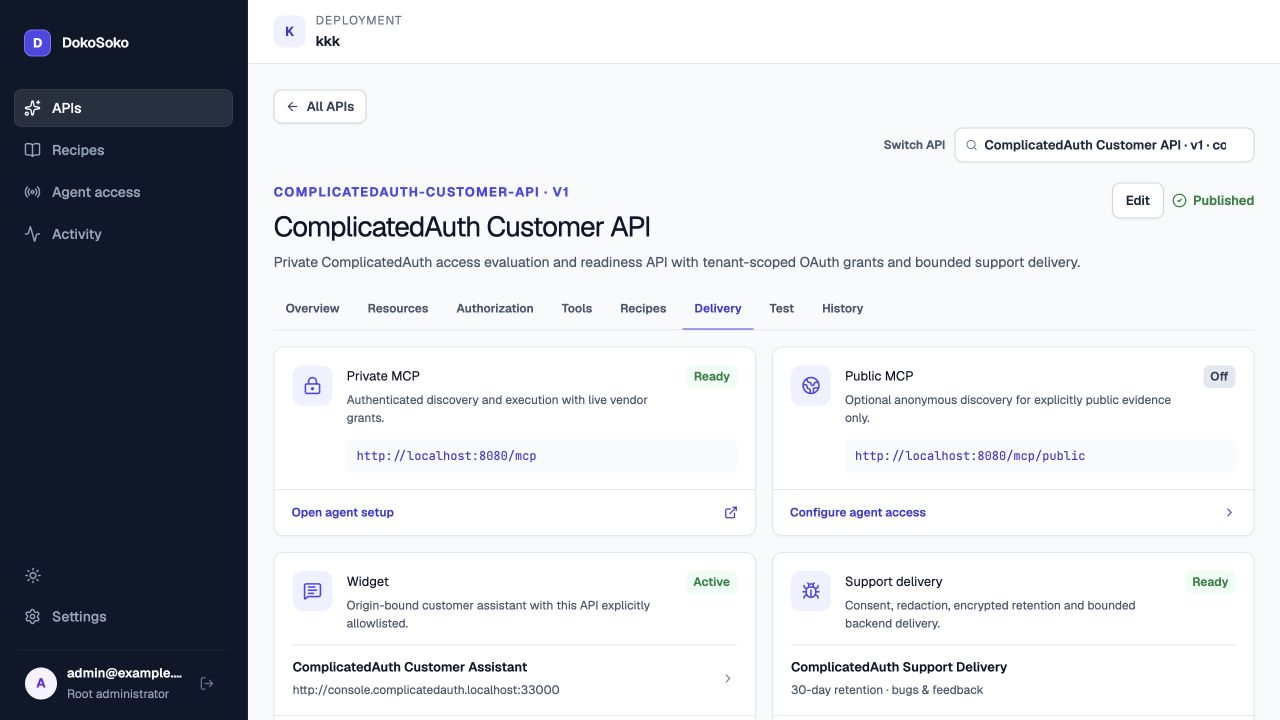
- Configure delivery and optional widget access. Activate the least-privilege backend connection and durable support route. When widgets are enabled, connect the Assistant workload and create a widget for exact application origins and exact published APIs. Widget secrets remain server-only.
- Run preflight and MCP acceptance. Re-run server-backed publication readiness, then use an authorized standalone Private MCP client to complete OAuth consent, discover resources and tools, invoke the configured tool, and verify unauthenticated rejection. Configure separate restricted identities and confirmation-gated tools before claiming those negative scenarios; otherwise record them explicitly as skipped. Retain redacted screenshots and immutable revision identifiers as acceptance evidence.
Reusable HTTP tool workflow
The Web Interface exposes a global Tools catalog scoped to one deployment. An HTTP tool is reusable across that deployment’s APIs rather than being owned by one API or Integration. Author it once, publish an immutable revision, and let each API and later Integration pin the exact revision it reviewed. Updating a draft never silently changes an already published Integration.
| Creation mode | What it contributes | Shared boundary |
|---|---|---|
| AI-assisted | A guided conversation proposes field-level HTTP contract changes and calls out missing decisions for operator review. | Every mode writes the same normalized draft and follows the same check, save, test, and immutable-publication path. AI and Import produce proposals for human acceptance or rejection; Manual edits are direct. |
| Import | An OpenAPI document, Postman collection, or cURL command is parsed into reviewable operations and mappings. Credential-shaped source values are removed from the proposal and surfaced as findings instead of becoming contract fields. | |
| Manual | The operator enters or corrects the method, URL, request construction, schemas, policy metadata, and timeout directly. |
Credential material is separate from the reusable contract fields. Secret values are entered through a dedicated write-only Web Interface control, stored encrypted with the tool, and used automatically when the configured server-side authentication requires them. They are not returned to the operator. Do not place an API key, bearer token, password, cookie, or OAuth secret in an AI conversation, imported source, tool schema, screenshot, or Integration manifest.
A published HTTP tool is immutable. Further changes start by cloning it to a distinct draft identity, and the stored credential is deliberately not copied into that draft. The operator must enter new credential material through the write-only control when the clone needs it.
The Builder’s Check draft action validates the candidate without contacting the vendor; Save draft then persists it. In the tool’s Tests tab, Stage 1 Contract check is a second deterministic no-network gate over an exact persisted revision and exact JSON arguments. Only a passing result makes that revision eligible for Stage 2 Live upstream test.
Stage 2 is an explicit live-upstream attempt. When its controls pass, it makes a real outbound request. Every mutation test requires the typed tool name and explicit side-effect confirmation. An idempotency key is also required when the mutation policy enables idempotency; a mutation without that safety policy is blocked rather than sent. Controlled pre-network failures and upstream results are retained against the tested revision and are not proof for a later edit.
AI review is optional and advisory after Stage 2 retains a result, including a controlled failure before any upstream request. It requires a separate consent action. The Analysis provider receives sanitized, value-free test structure, the non-secret structural contract, bounded metrics and finding codes, the operator’s latest question, and a bounded transcript. Literal enum and const values stay excluded; value-free enum-cardinality and const-presence markers preserve enough structure for the assistant to diagnose an over-constrained schema without receiving the literal. Raw evidence values, bodies, destinations, credentials, and internal identifiers are excluded, but operator chat is sent as typed; heed the Web Interface warning and never enter a secret. The AI does not perform the live request or publish a tool. Applying a proposal based on a published tool first requires the separate credential-free clone described above.
Delegated access evaluation
POST /v1/access/evaluations
Authorization: Bearer <resource-bound customer access token>
Idempotency-Key: aeval_<32 lowercase hex characters>
X-External-Request-ID: req_<32 lowercase hex characters>
Content-Type: application/json

{}
The response contains an idempotent evaluation ID, current active delegated grants, token-bounded expires_at, and scope-v1:N policy version. Results are retained for at least ten minutes. Missing, invalid, expired, revoked, wrong-audience, or administratively disabled tokens fail closed. The provider-neutral per-attempt external request ID is validated but deliberately excluded from the idempotency hash because retries use a new request ID.
Durable support delivery
POST /v1/support-submissions
Authorization: Bearer <Project service credential>
Idempotency-Key: <submission_id>
X-External-Request-ID: req_<32 lowercase hex characters>
Content-Type: application/json

{
  "submission_id": "<stable external submission ID>",
  "created_at": "<RFC 3339 timestamp>",
  "submission": {
    "schema_version": "2026-08-25",
    "kind": "bug",
    "channel": "<provider-defined channel>",
    "provider": { "key": "<external provider key>" },
    "resource": { "type": "<resource type>", "id": "<resource id>", "name": "<resource name>" },
    "reporter": { "principal": { "issuer": "<ComplicatedAuth issuer>", "subject": "<subject>" }, "allow_contact": false },
    "bug": { "summary": "<summary>", "description": "<description>" },
    "confirmed_at": "<RFC 3339 timestamp>",
    "request_id": "<provider request ID>"
  }
}
Exact retries replay the same 202 accepted receipt for at least 24 hours. Reusing a submission ID with changed content returns 409. Bug severity maps only to initial operator priority; it does not change authorization. The human-readable report becomes the public initial message, while the complete provider-neutral envelope—including primary and related resource identities and any bounded provider extension—is encrypted as external-support-submission.json.
Contact information is accepted only with explicit consent. The credential’s Tenant and Project remain authoritative; a supplied external customer identifier cannot route a report across Tenant boundaries.
Optional embedded widget trust boundary
- The authenticated browser calls
POST /api/dokosoko/widget-tokenon the ComplicatedAuth console origin. - The server verifies the exact origin and strong ComplicatedAuth console session.
- The server derives
userIdfrom the Tenant Member UID andorganizationIdfrom the Tenant UID. Browser input cannot override either value. - The server-only backend package uses
DOKOSOKO_WIDGET_SECRETto request a one-time bootstrap from DokoSoko. - The browser loader sends only that bootstrap to the exact widget-host origin using versioned
postMessage. The secret never enters the iframe, URL, or client bundle.
This workspace pins the DokoSoko beta packages as exact MIT-licensed file dependencies at version 0.1.0-beta.1. Replace those file dependencies with a compatible registry release only after independently verifying its package identity and integrity; do not fork the protocol into application code.
The DokoSoko SDKs & Packages sub-tab is intentionally empty for this acceptance revision. Packages are optional, and the Integration does not invent registry, provenance, SBOM, or integrity evidence merely to make an optional gate look complete.
Optional widget server environment
CONSOLE_PUBLIC_ORIGIN=http://console.complicatedauth.localhost:33000
DOKOSOKO_API_URL=http://api.dokosoko.localhost:8080
DOKOSOKO_WIDGET_HOST=http://widget.dokosoko.localhost:34000
DOKOSOKO_WIDGET_ID=<Web Interface result>
DOKOSOKO_WIDGET_SECRET=<one-time Web Interface result>
Set these values only when DokoSoko widgets are enabled. Never prefix the widget secret with NEXT_PUBLIC_. With the feature disabled or configuration absent, the authenticated console continues to operate without rendering a launcher. If configured while DokoSoko is unavailable, the token route returns a generic no-store error and does not leak upstream credentials or report content.
Web Interface evidence
These screenshots record the 26 August 2026 local acceptance state. Every DokoSoko resource was created or changed through http://localhost:8080; the standalone client and command-line checks only verified behavior. One-time client, service, and API-credential values are omitted or redacted. Visible identifiers, revisions, hashes, and fingerprints are non-secret audit metadata.
Current UI-provisioned catalog state
- Reviewed source publication
98eaa66a-aaec-4cd7-9d5e-0003527bf143is published at exact revision1. Documentation sete009cc63-dbbe-4bcb-9436-c3d57deacd51and API contract3d5089fc-ab7c-47b1-9863-e8b71d39b505revision2are attached independently. - Authorization point
platform.readiness.checkrevision1and reusable tool revision2share the registeredplatform.readinessgrant. MCP exposes the attached common tool under its canonical namecommon.check_readiness. - API
23d86b90-8c68-4314-8c3d-cf02ce443cbais active at immutable revision3, manifest hashsha256:1dca7076b6b1ef31bf0f10654641da51e4333d8c94e0f965362d8c5ba15a80f4, with all6/6Quick Start checks ready. - DokoSoko automatically exposes reviewed knowledge plus API Admin instance and credential-list, rotate, and revoke tools. The API Admin tools use the managed ComplicatedAuth provider connection and return environment-variable name
COMPLICATEDAUTH_CUSTOMER_API_KEY. - Recipe Connect ComplicatedAuth Customer API through DokoSoko MCP is human-reviewed and privately published at revision
1, with stable URIdokosoko://products/kkk/recipes/connect-complicatedauth-customer-api-through-dokosoko-mcp. - The standalone Private MCP client completed protected-resource and authorization-server discovery, dynamic loopback registration, Authorization Code with PKCE
S256, one reviewed resource read, discovery of15tools, and an invalid-schema negative check returning JSON-RPC-32602. - The live API Admin lifecycle listed zero subject credentials, issued one subject-bound key only after an exact-request confirmation challenge, redacted its 71-byte one-time material, replayed the provider request idempotently, listed the new metadata, then revoked the exact credential through a separate confirmation challenge. The ComplicatedAuth console shows the resulting credential as revoked without exposing its value.
- Widgets are intentionally disabled in the current DokoSoko deployment and are excluded from this acceptance result.
- The package binding remains deliberately empty. No optional package-release metadata or supply-chain evidence was fabricated in DokoSoko.
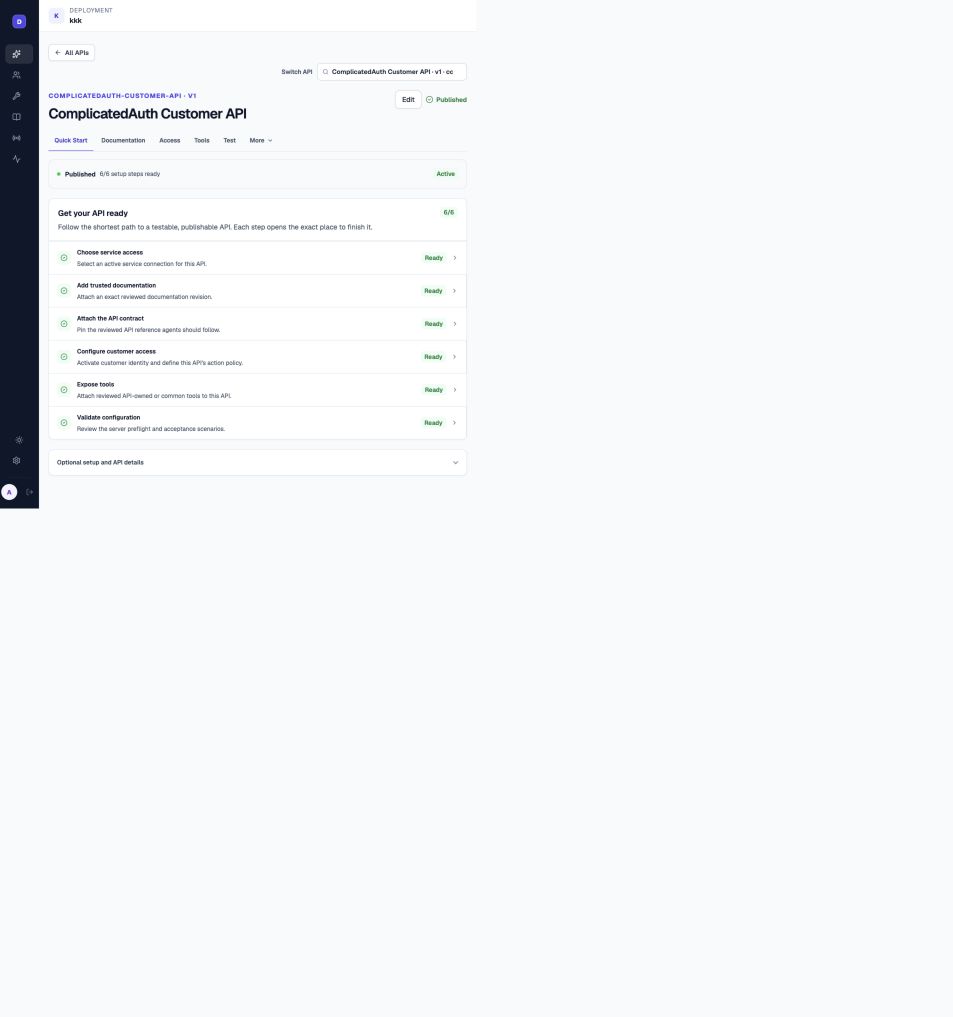
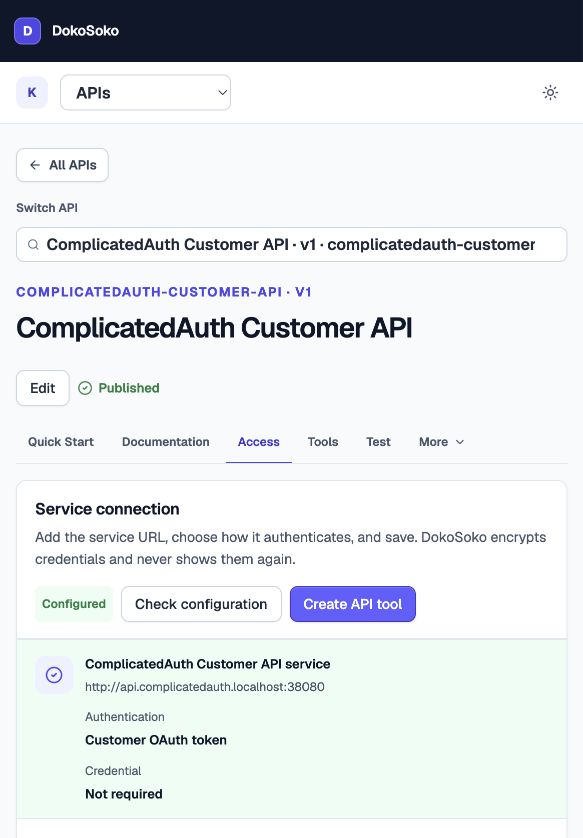
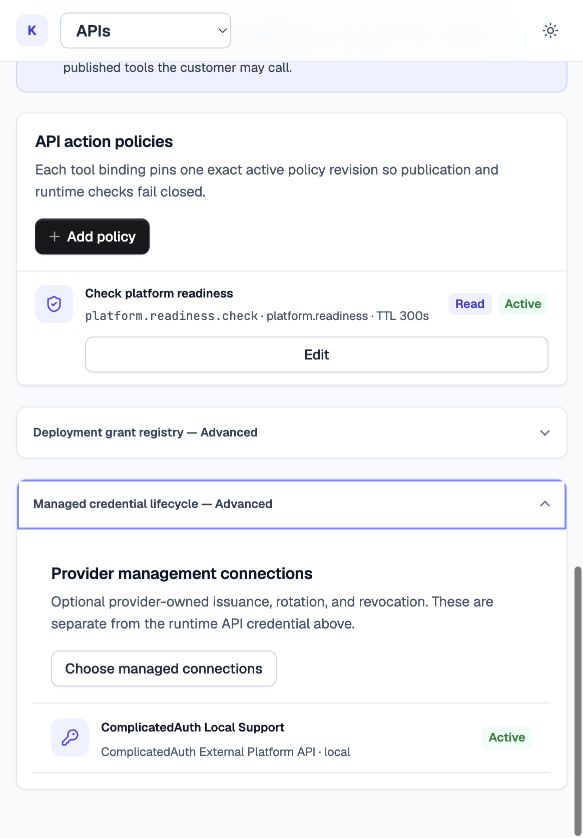
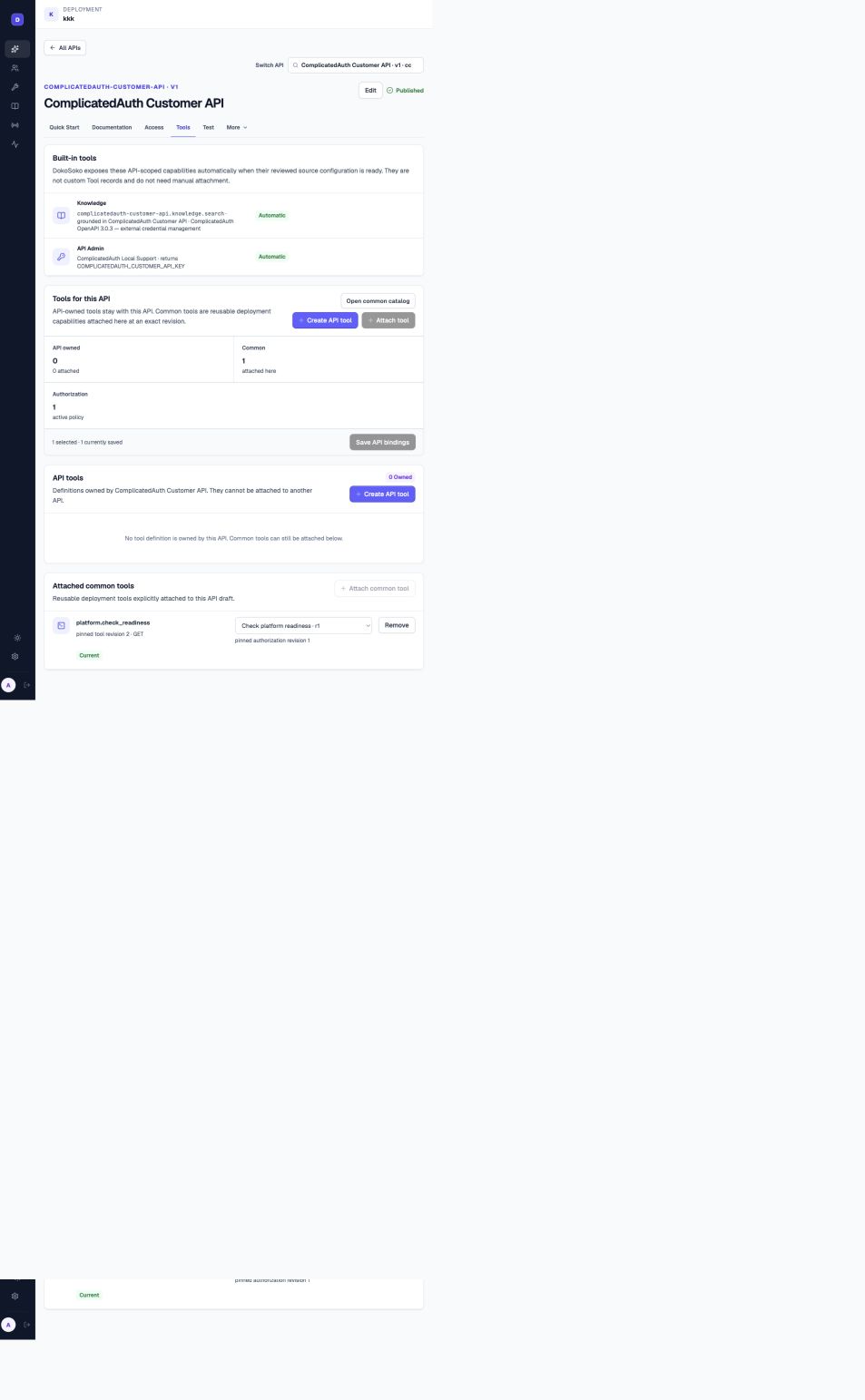
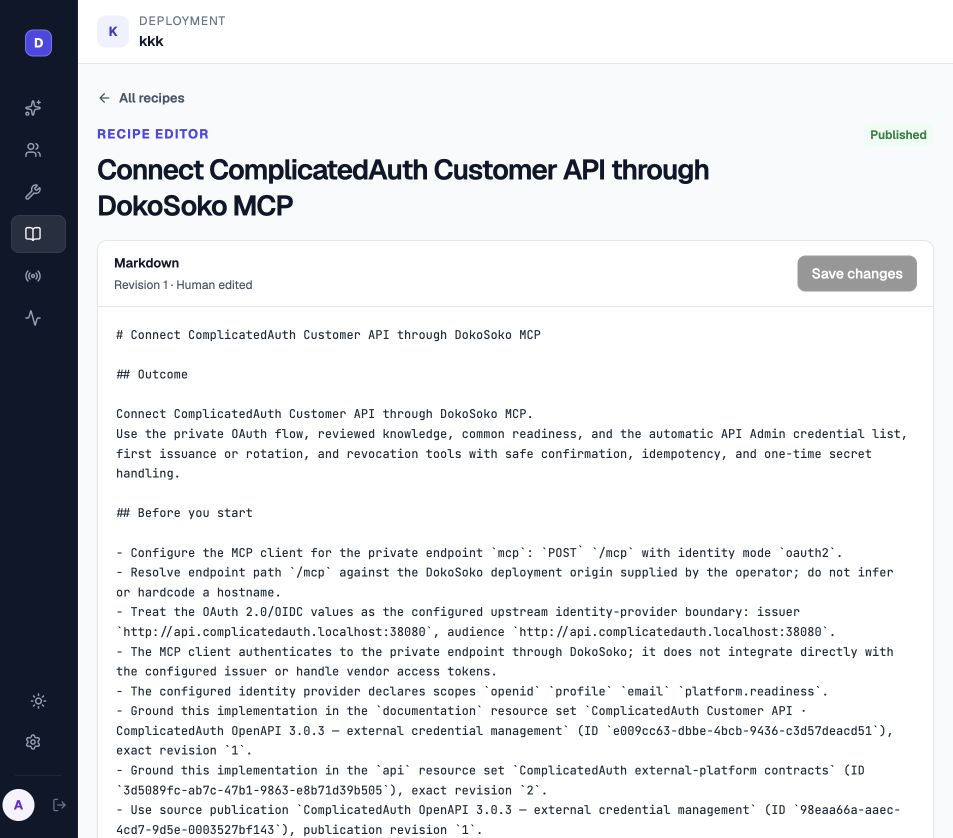
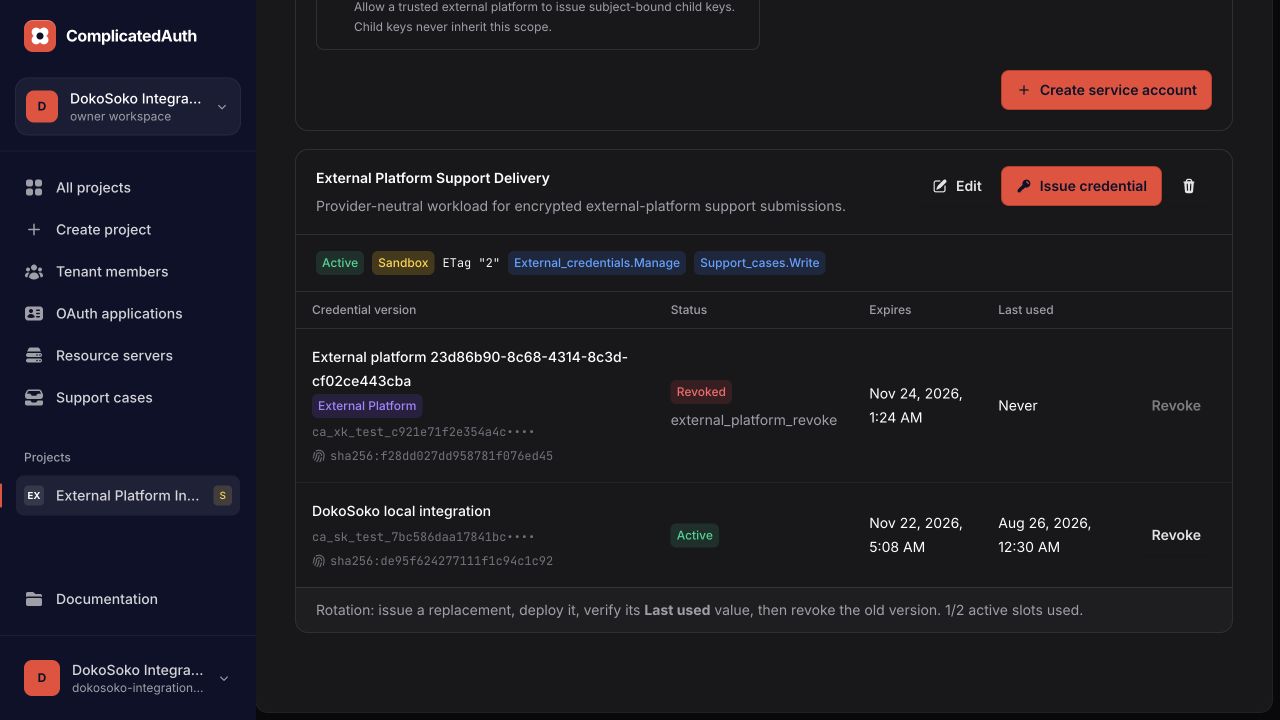
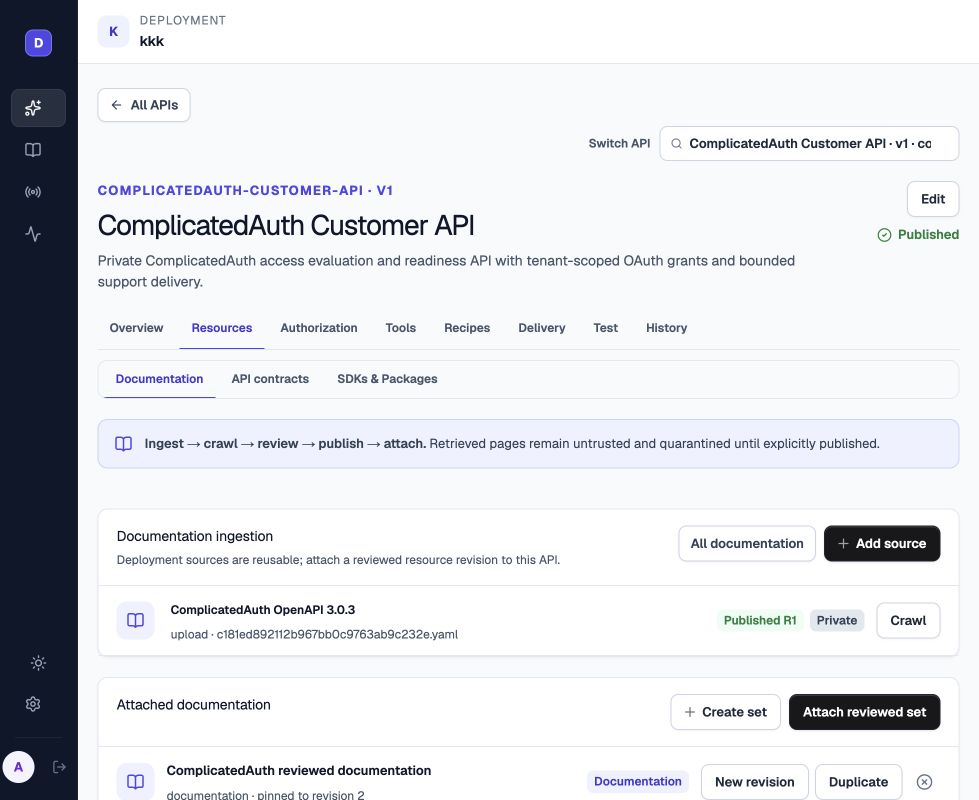
1, and the API pins reviewed documentation revision 2.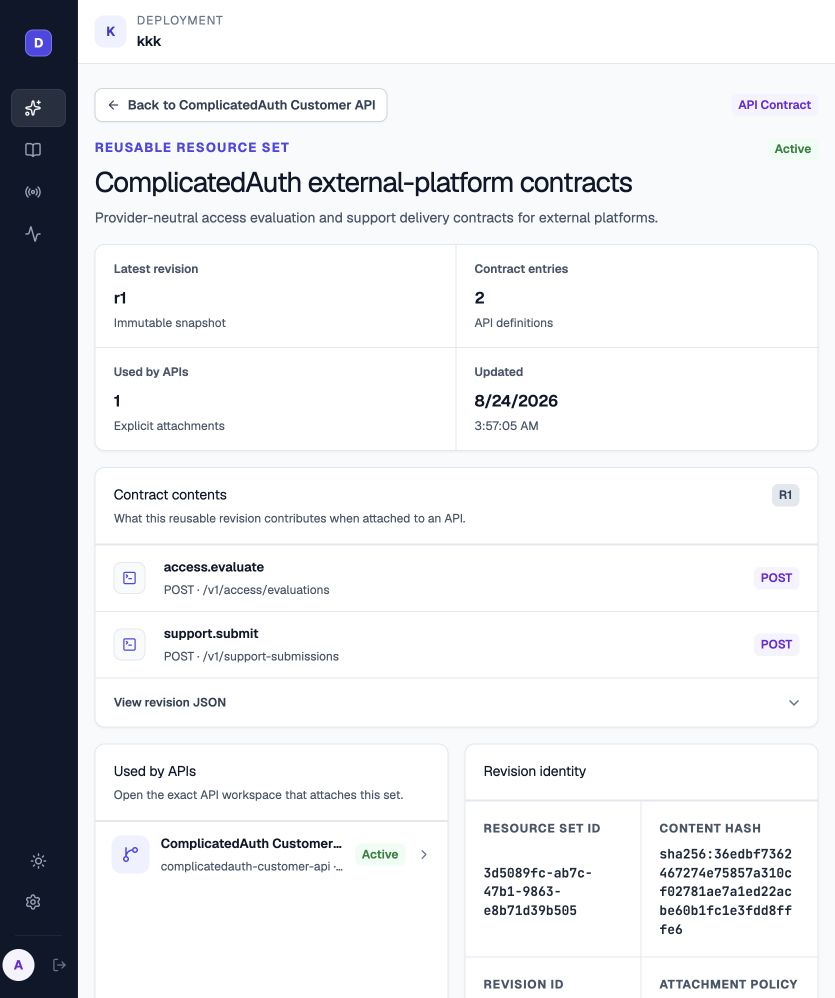
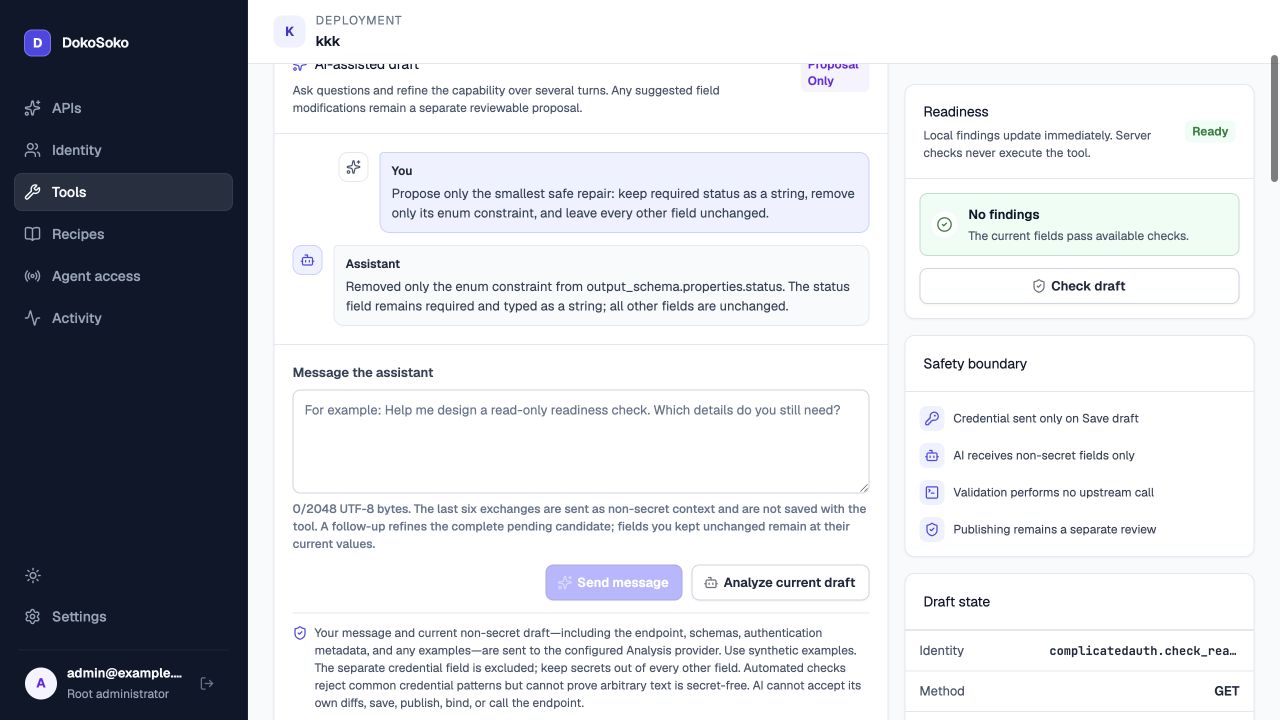
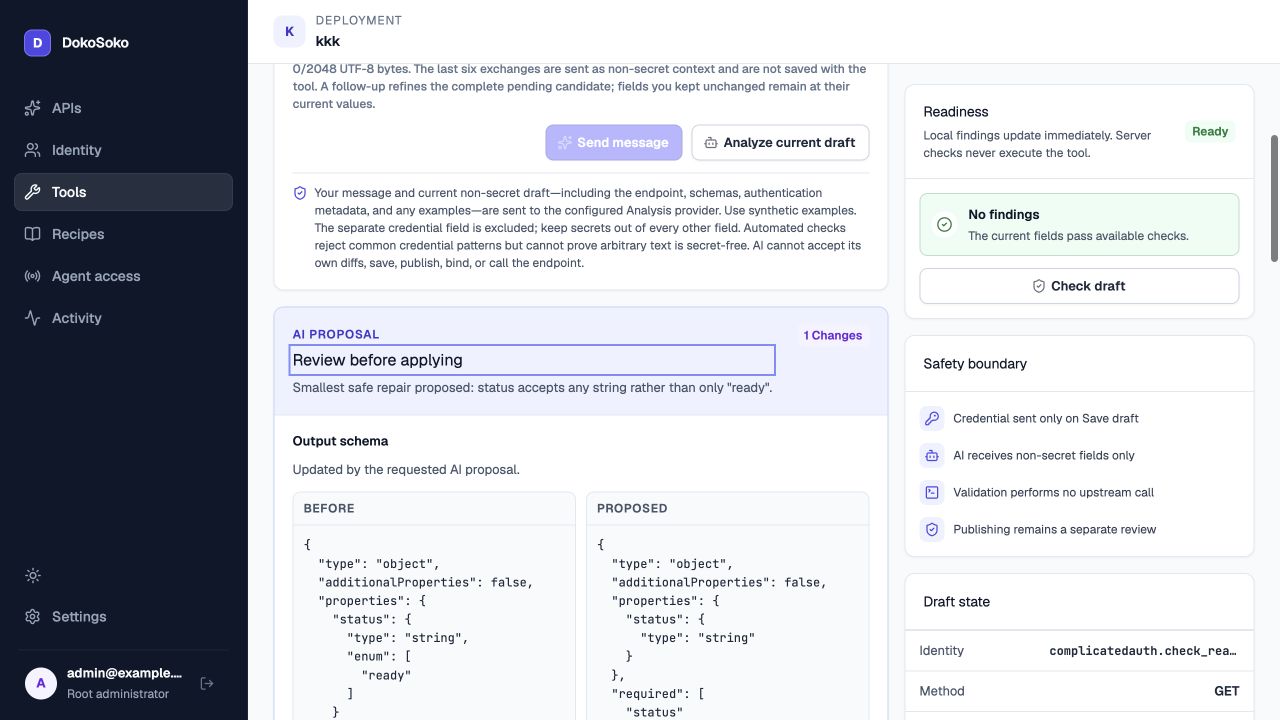
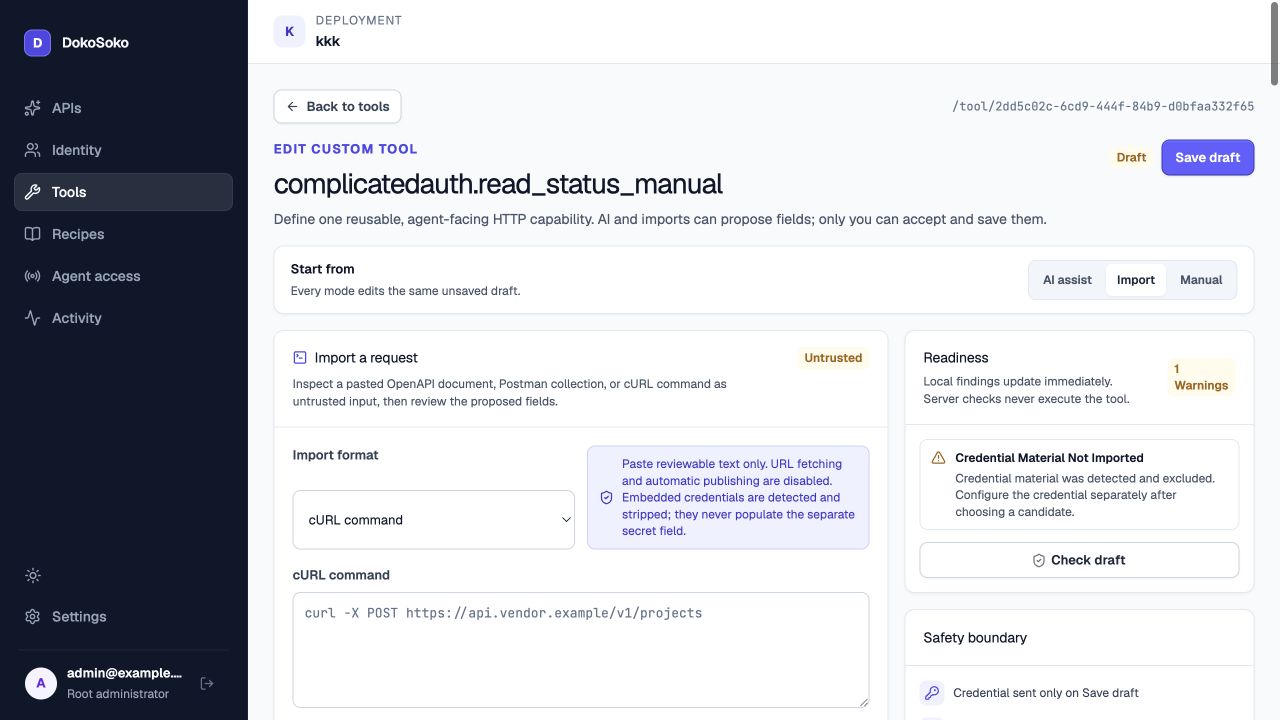
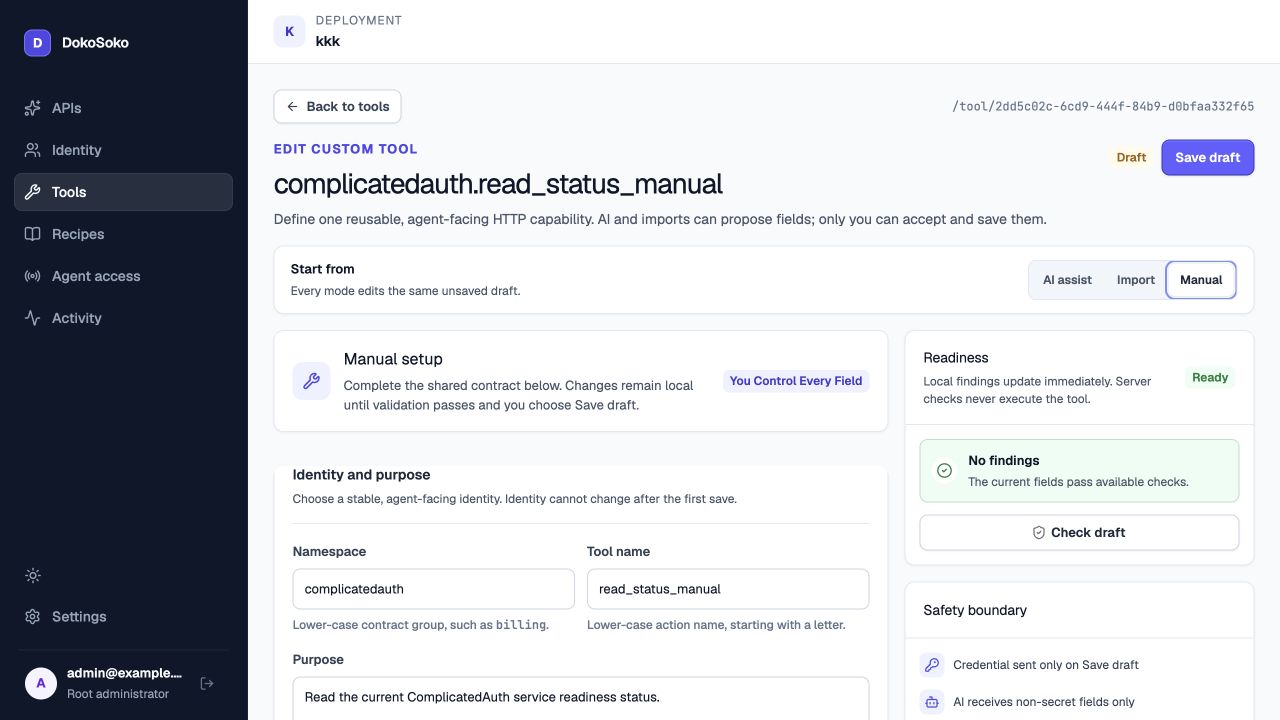
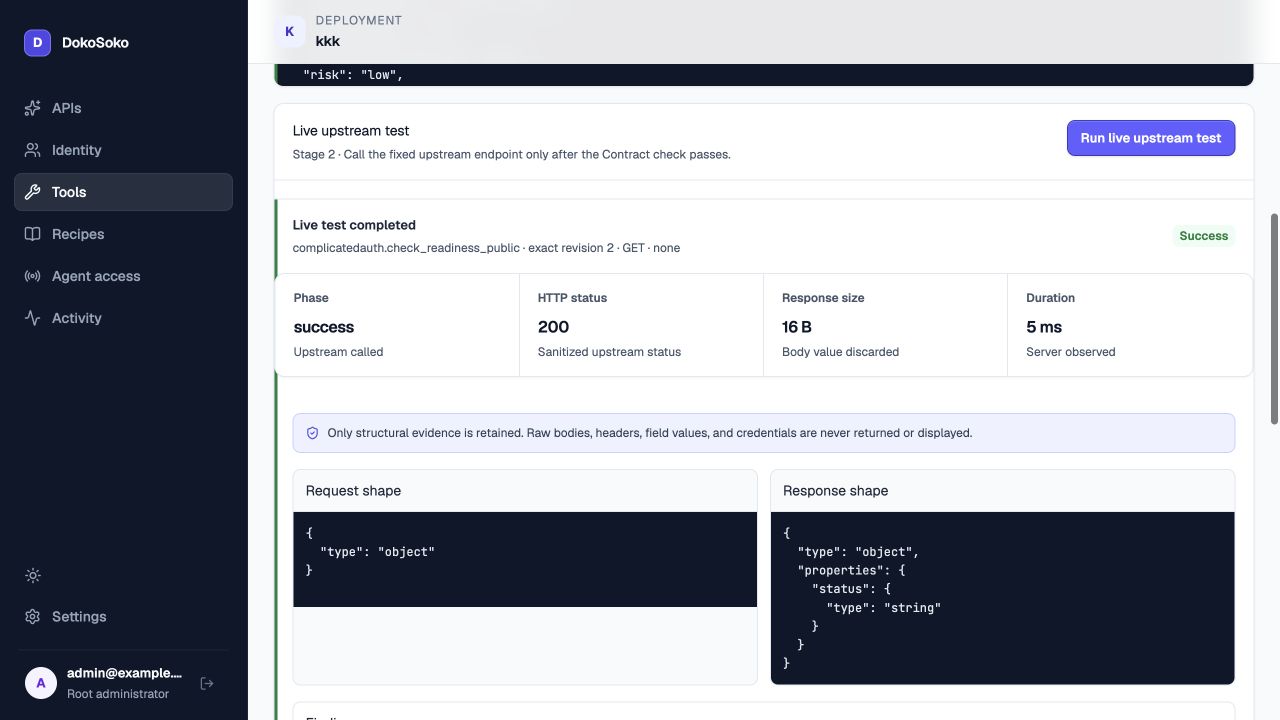
2 and its JSON arguments without a network call, then Stage 2 explicitly called the fixed ComplicatedAuth endpoint. The Web Interface retained sanitized HTTP 200, a 16-byte body size, object/string shapes, and no findings while discarding raw values. Mutation tests additionally require the typed tool name and side-effect confirmation, plus an idempotency key when policy requires one.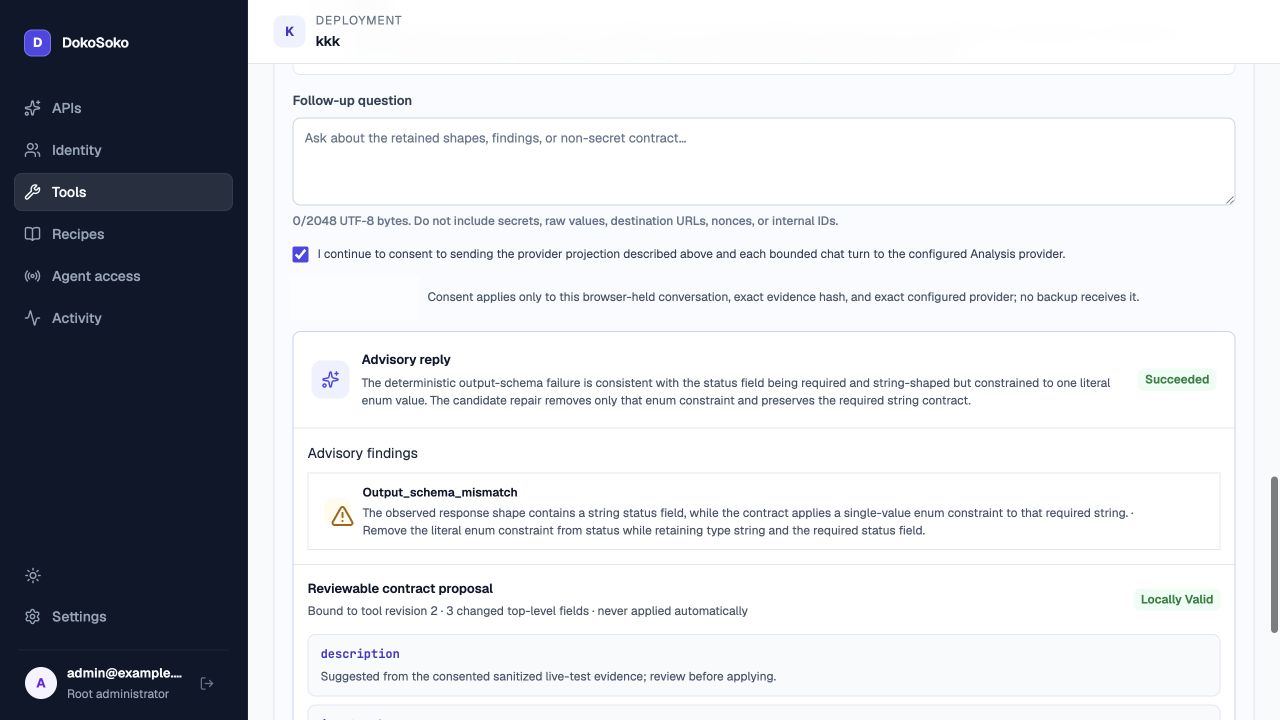
2, and unapplied until the operator kept the existing purpose and accepted only the output-schema change in Builder.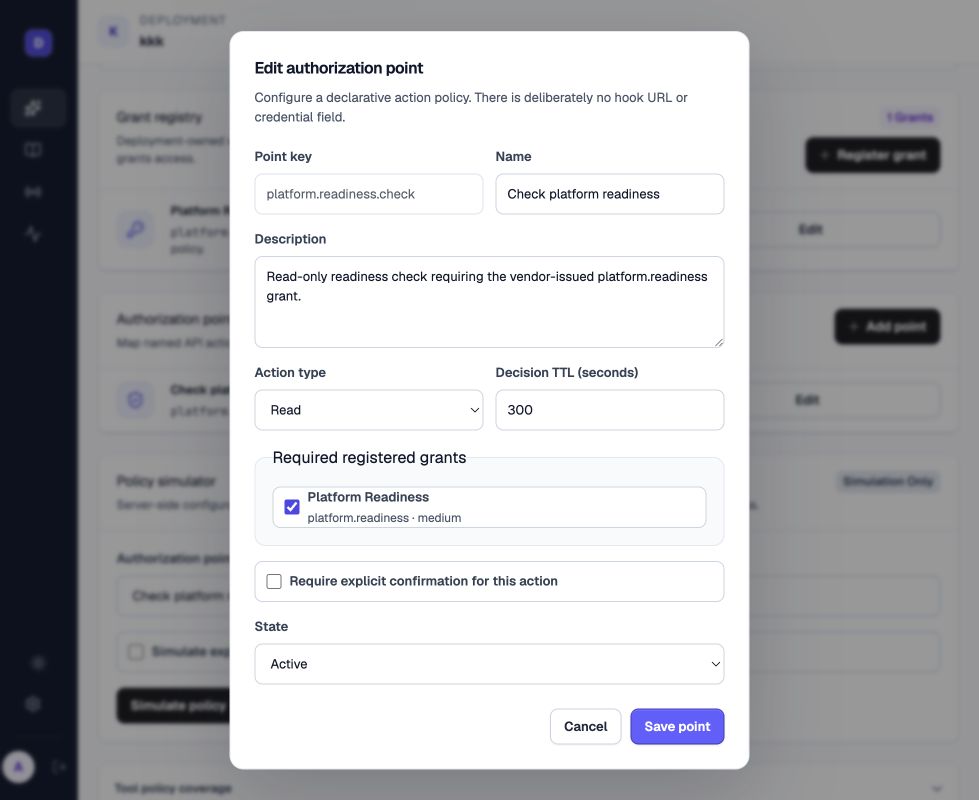
platform.readiness.check revision 1 is an active read action with a 300-second decision TTL, no confirmation, and the registered platform.readiness grant. The Integration pins this exact policy revision beside the published tool revision.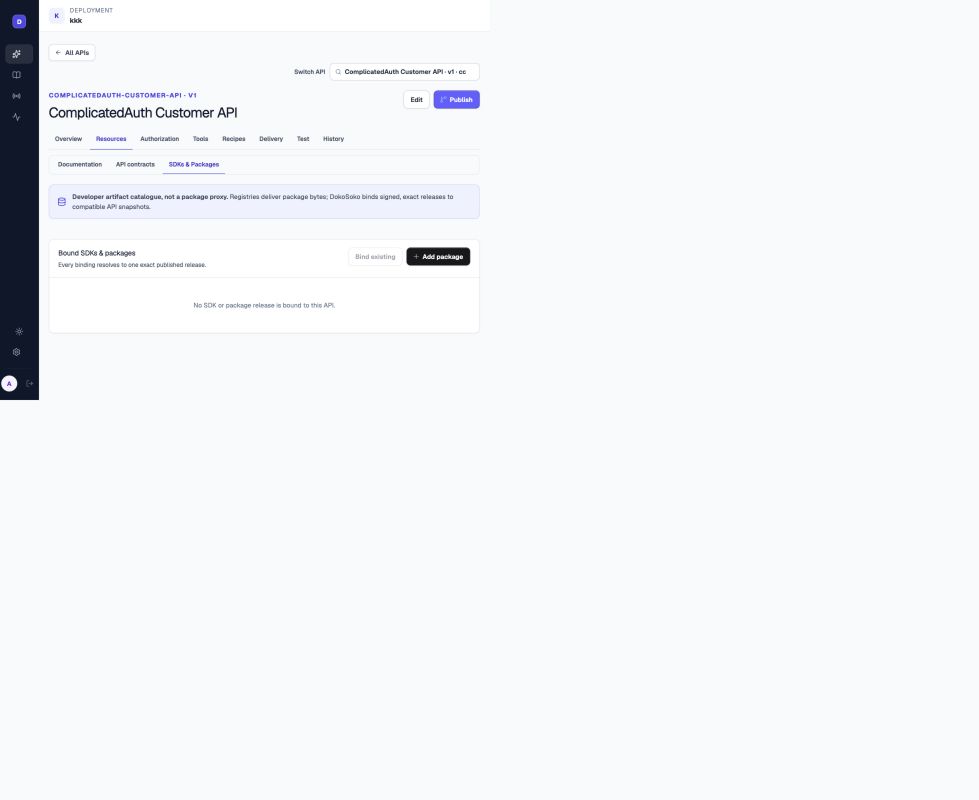
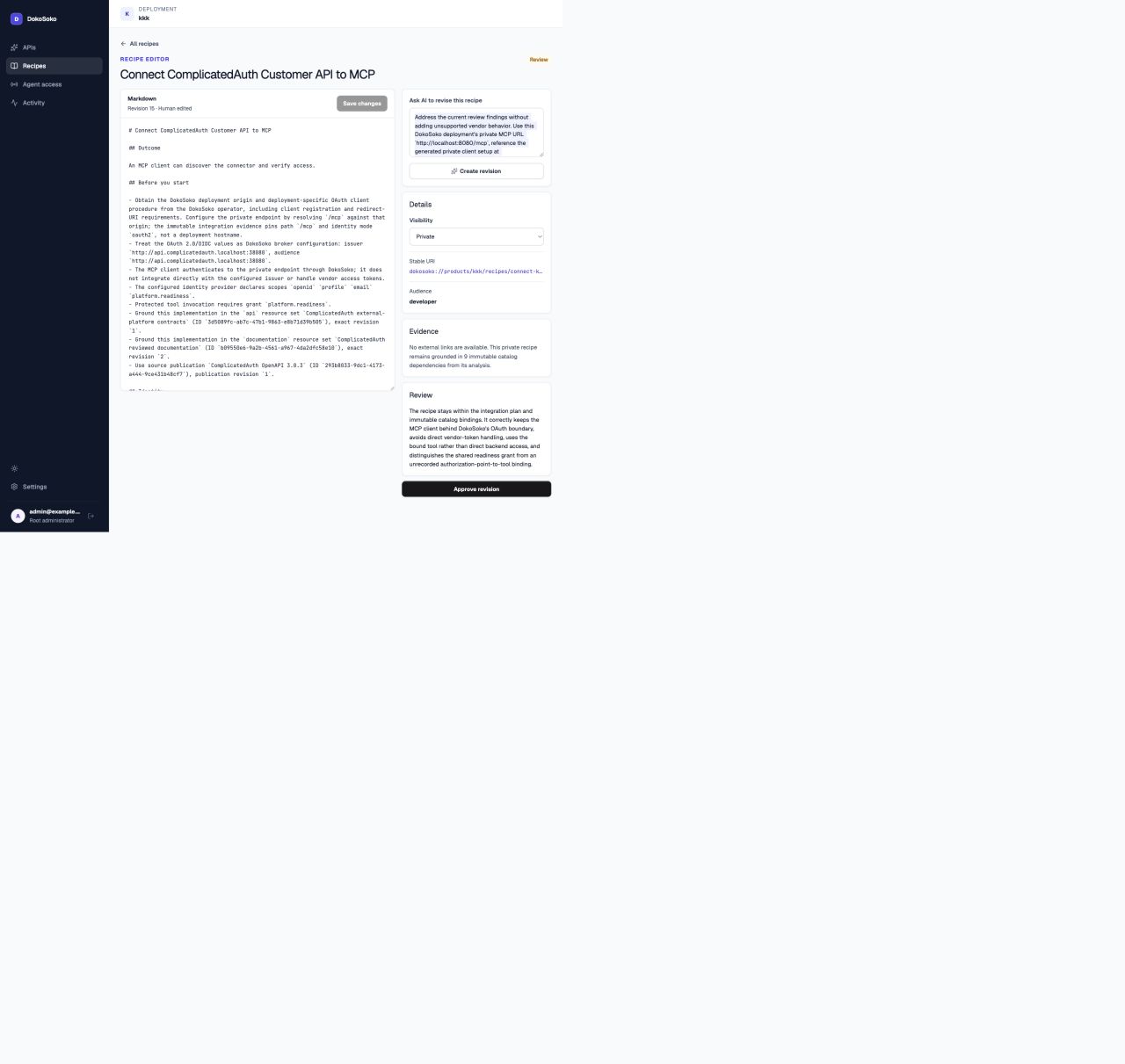
15 remains inside DokoSoko’s OAuth boundary and exact immutable documentation, API, authorization, and tool evidence before approval.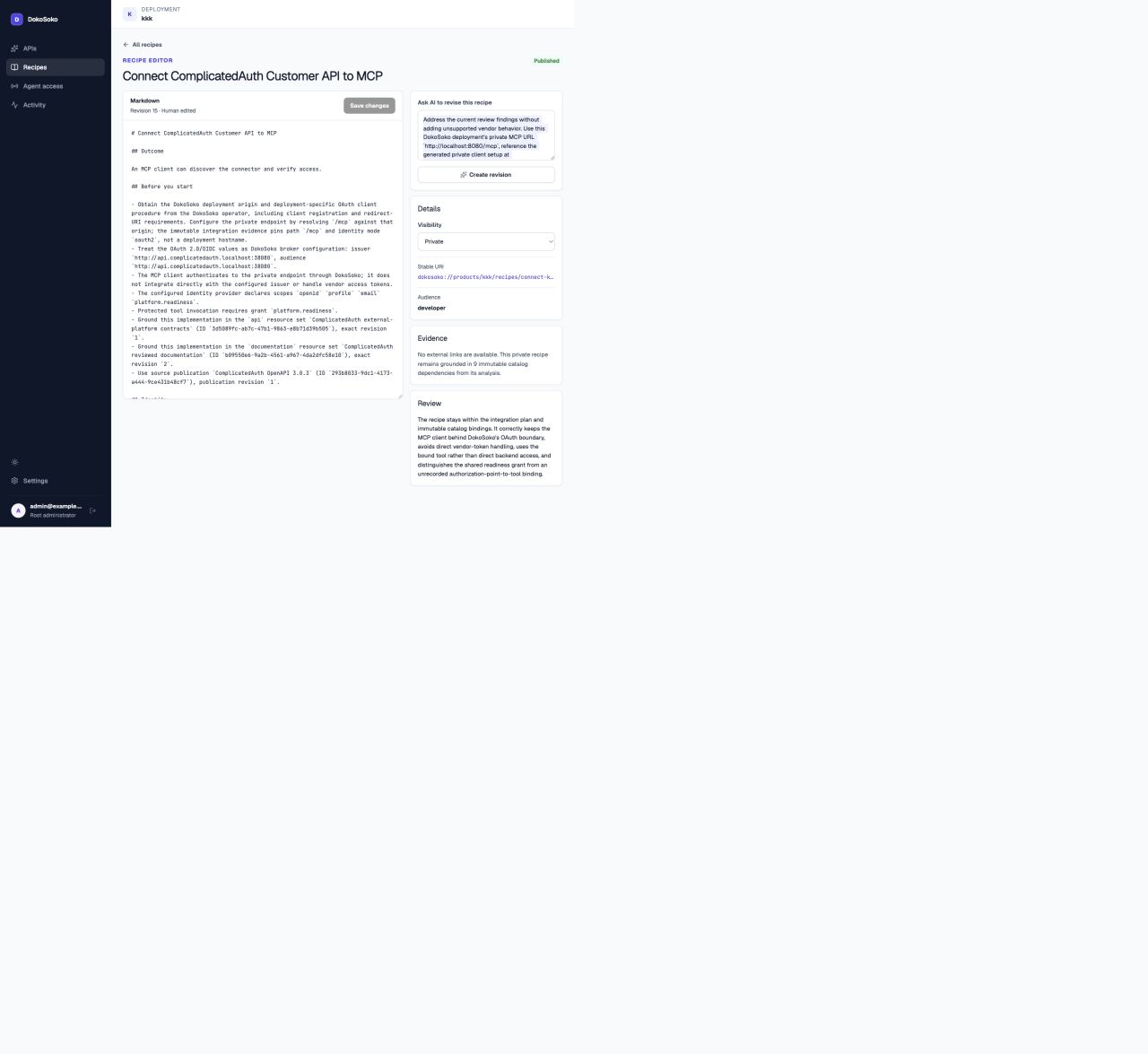
15. Its stable URI and immutable dependencies make retries and later review unambiguous.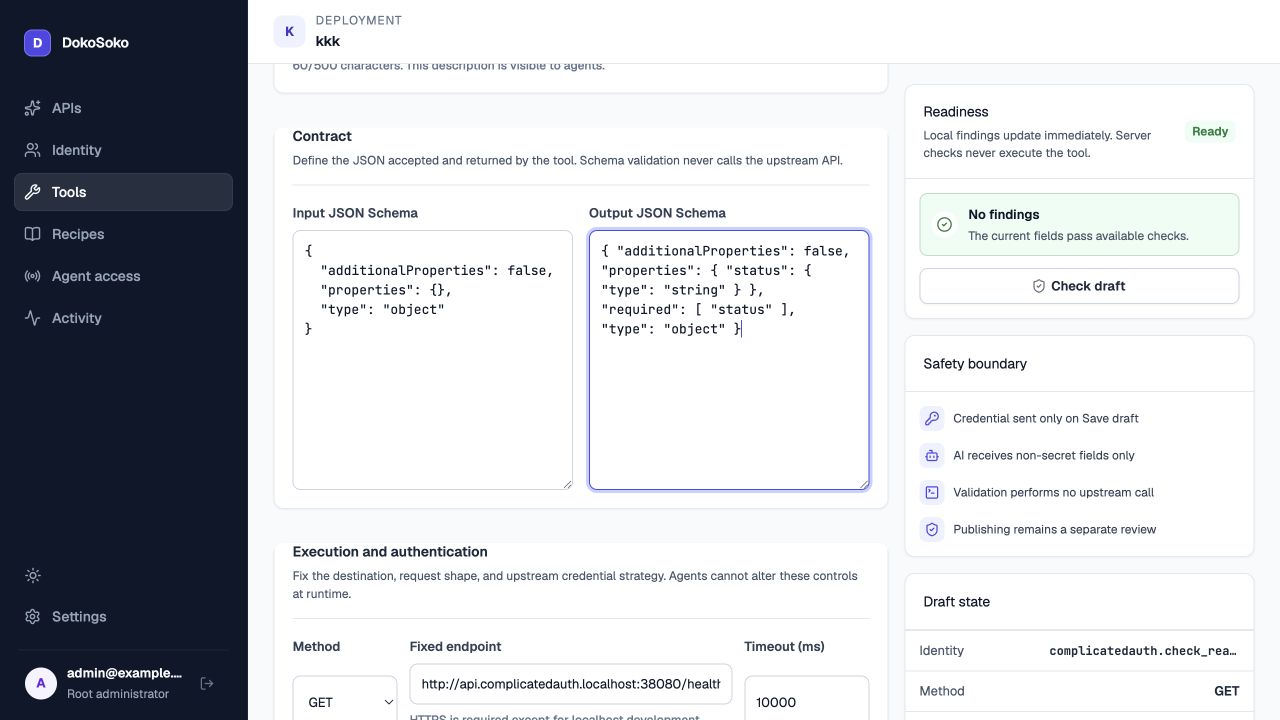
r3 and its exact manifest hash before publication. Optional recipe, support, and package status do not masquerade as required gates.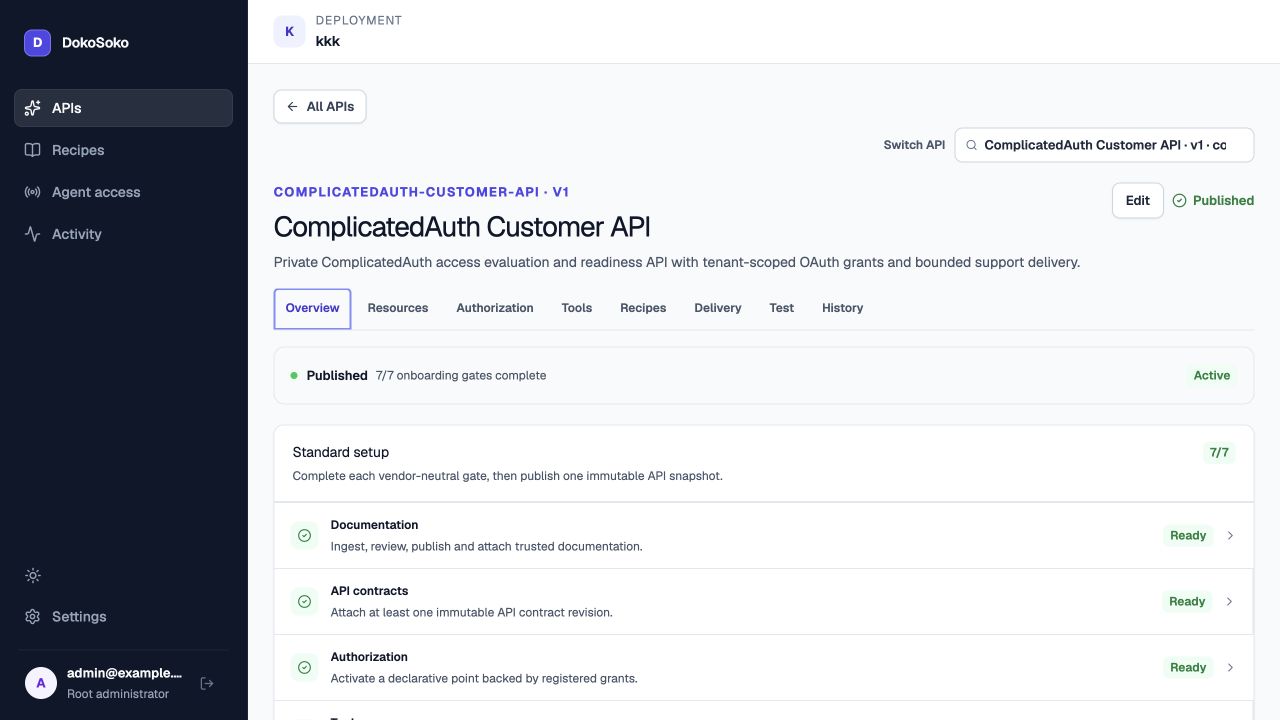
4, with all seven vendor-neutral onboarding gates complete.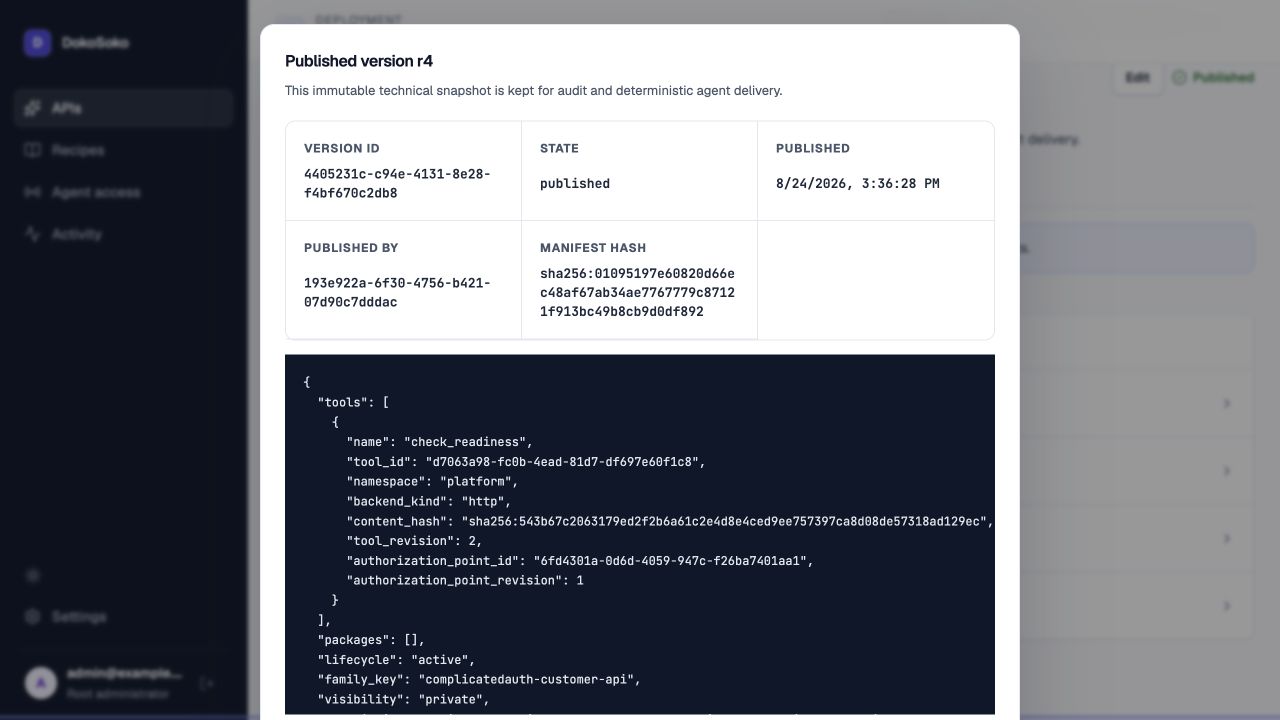
sha256:01095197e60820d66ec48af67ab34ae7767779c87121f913bc49b8cb9d0df892, tool revision 2, and the manifest’s authorization-point identifier at revision 1.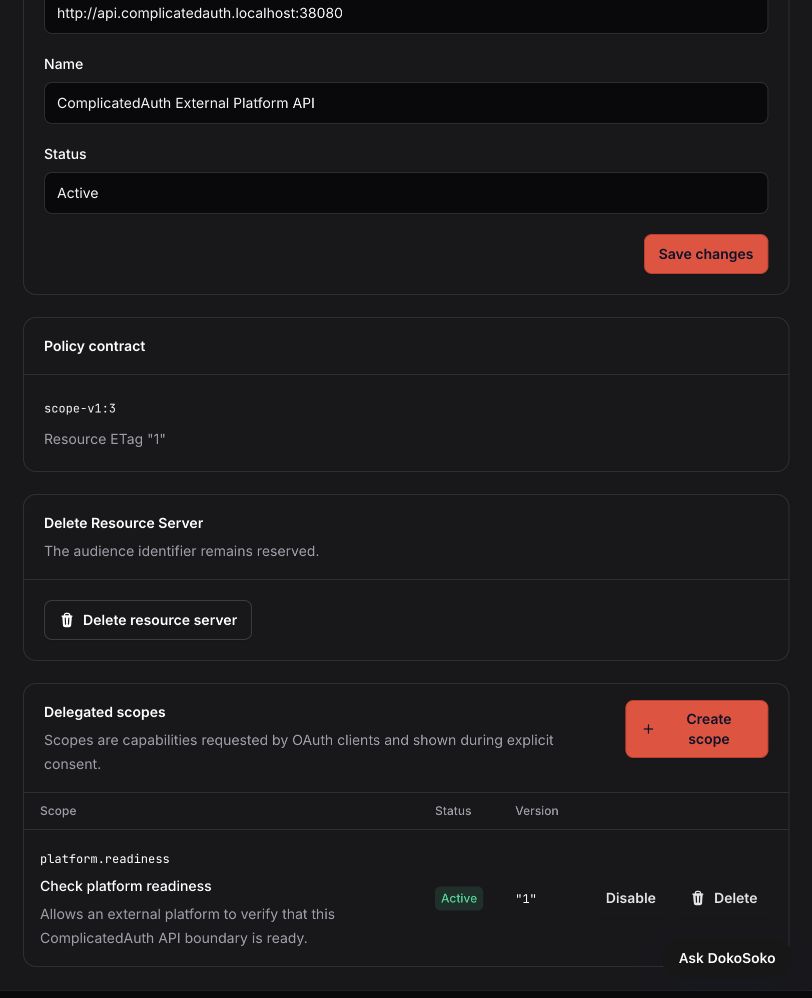
platform.readiness scope.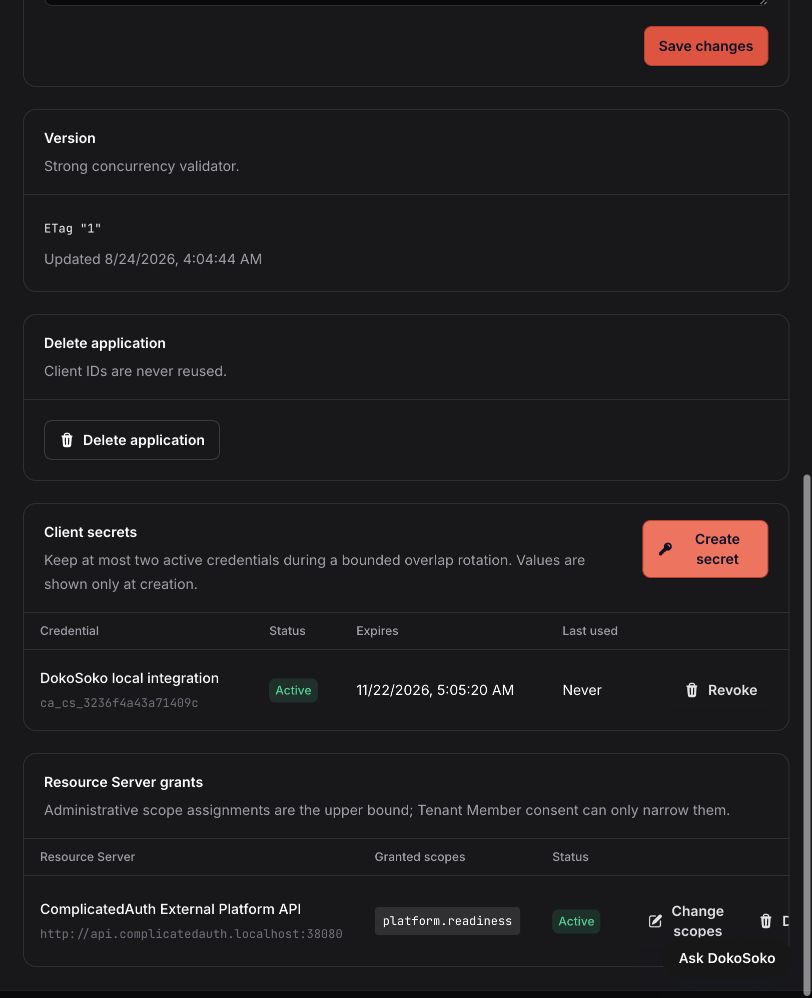
platform.readiness. The screenshot contains a credential identifier, never its one-time value.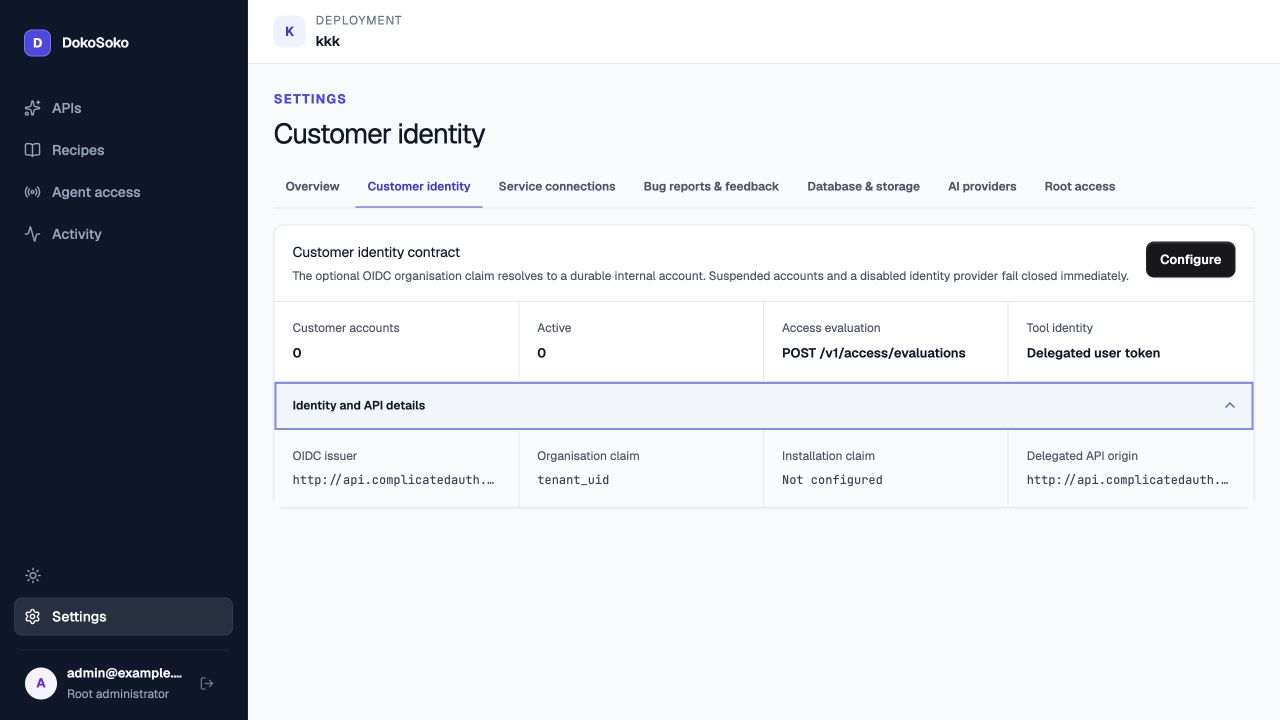
tenant_uid is authoritative, and the optional installation claim is deliberately not configured.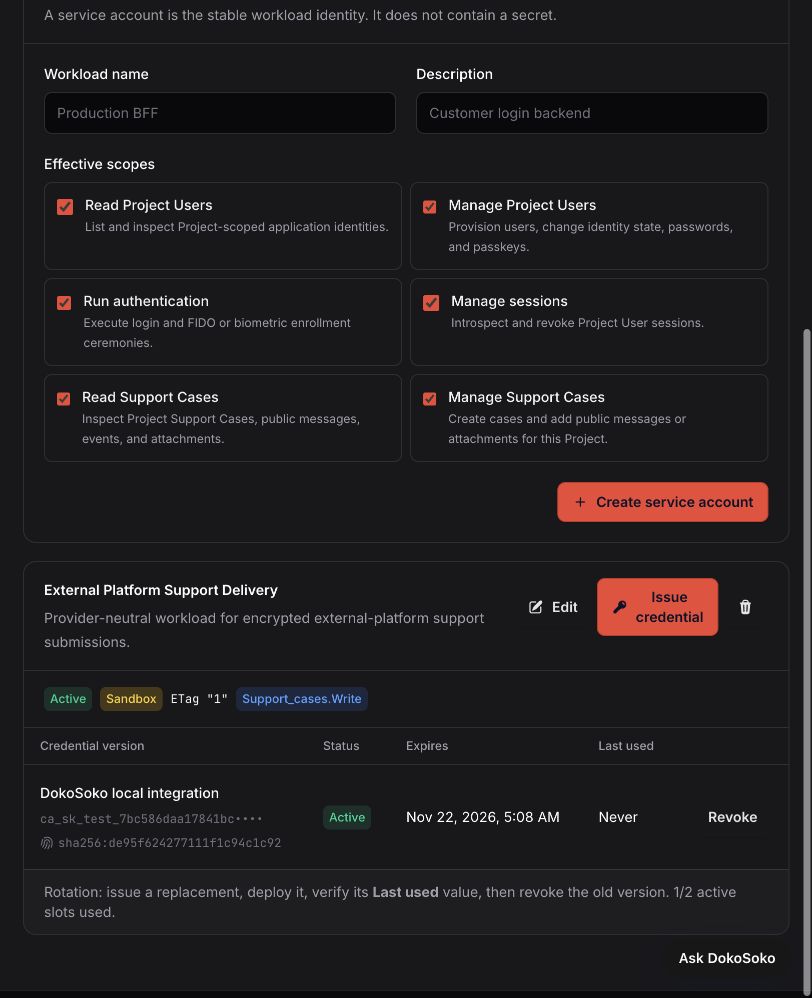
support_cases.write; its expiring credential remains server-side.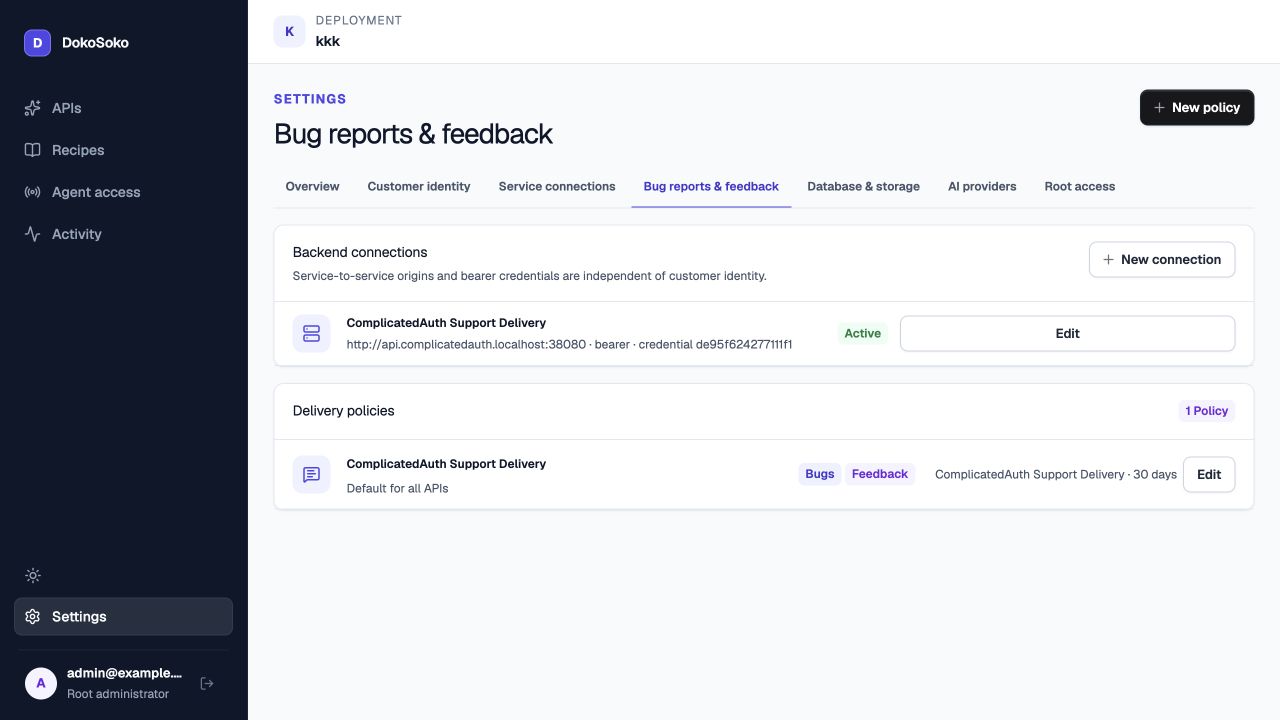
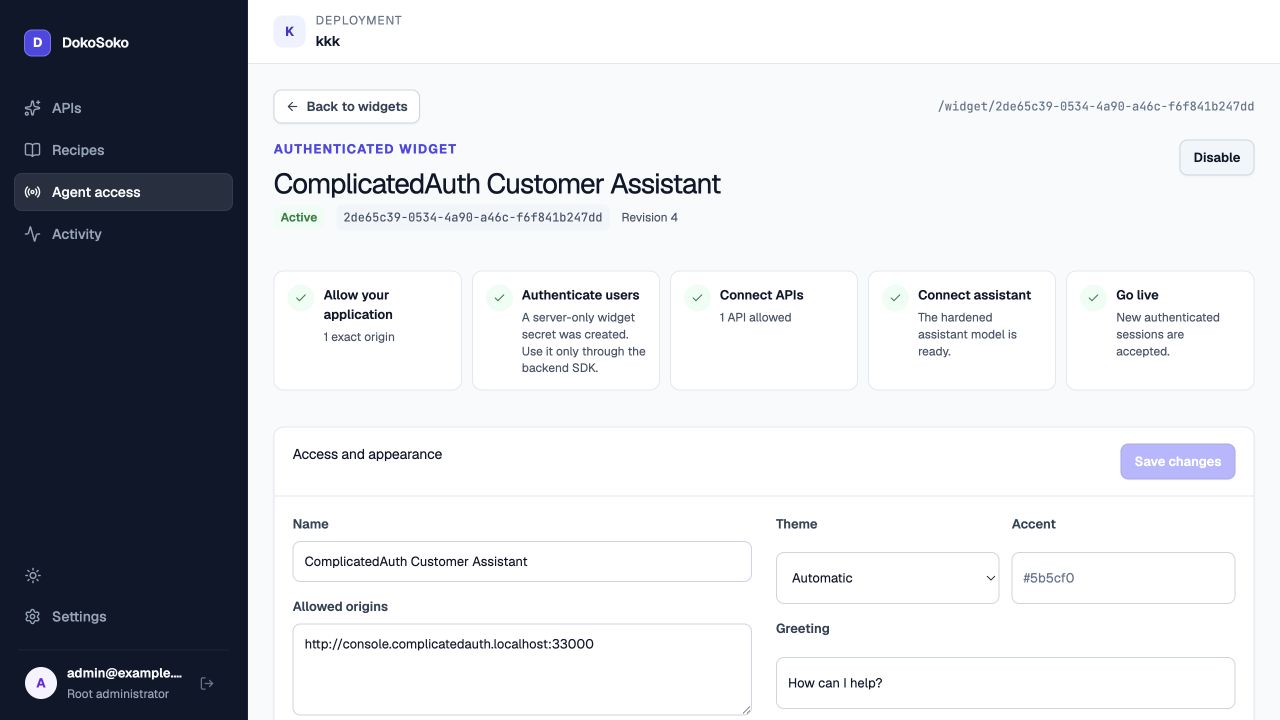
4 accepts only http://console.complicatedauth.localhost:33000, allows the published API, and keeps its authentication secret behind the backend SDK.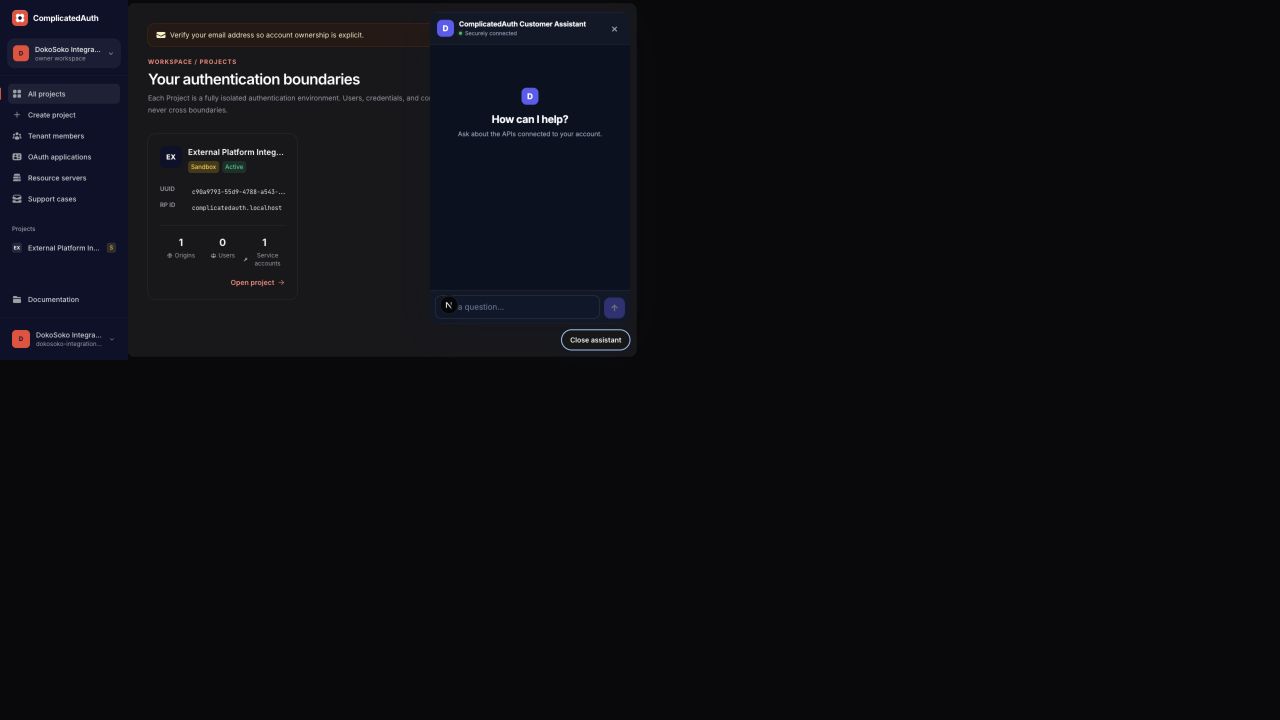
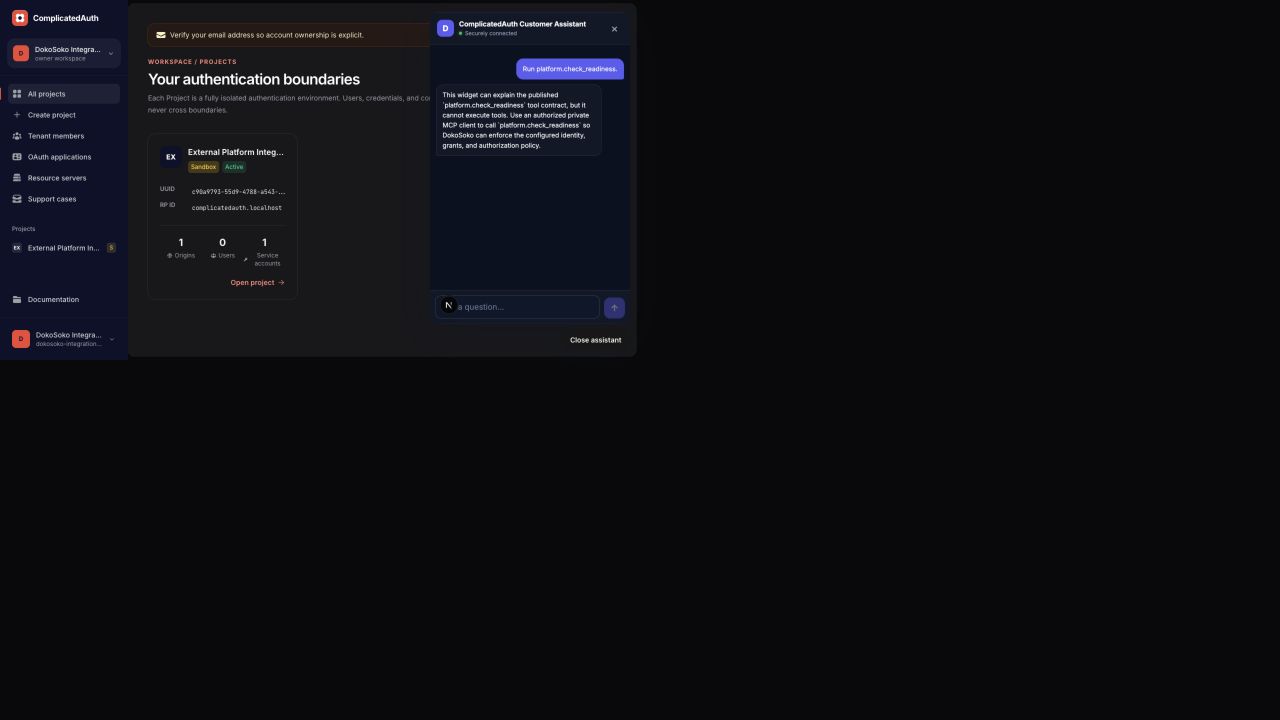
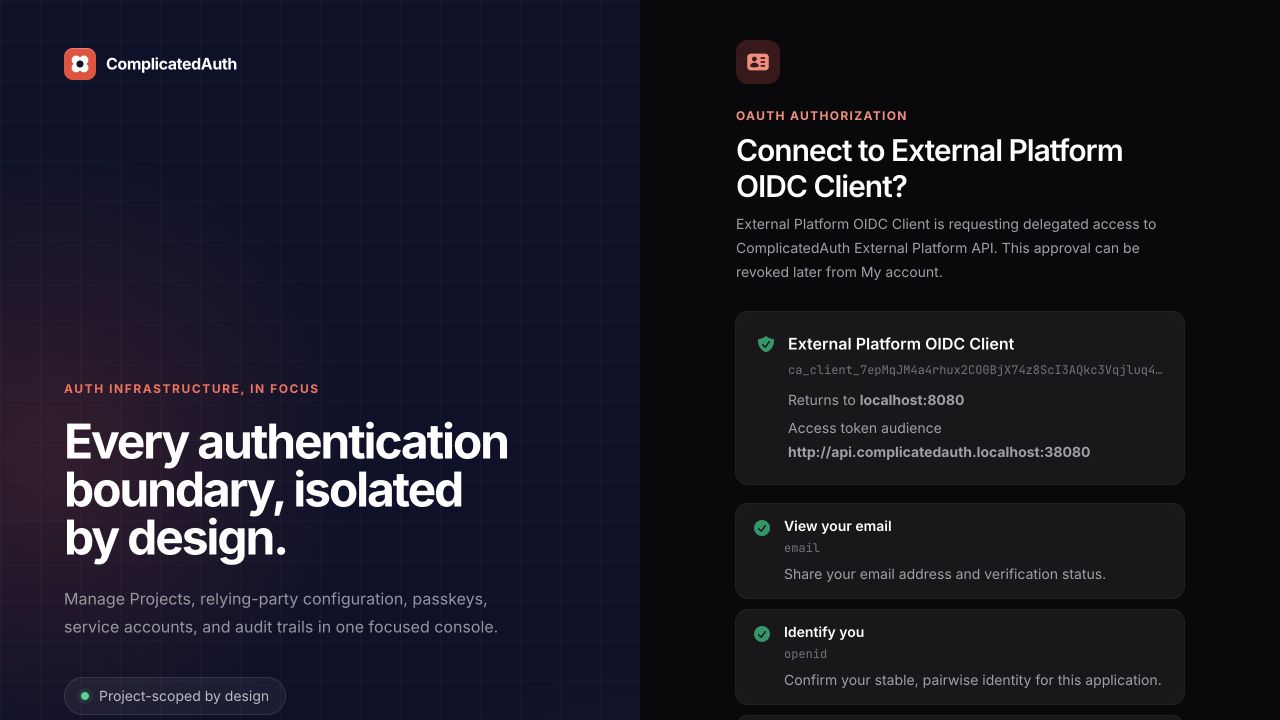
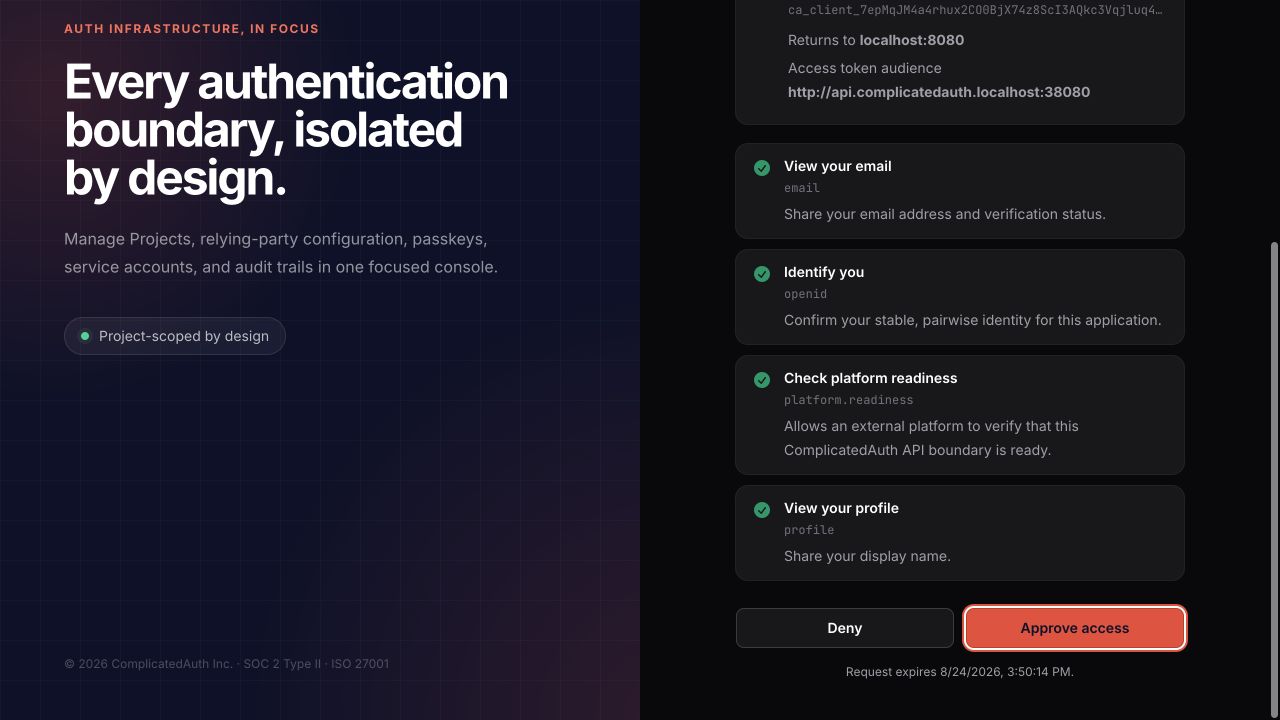
platform.readiness, the same registered grant required by the authorization point and published tool. Consent cannot expand the client’s administrative grant ceiling.
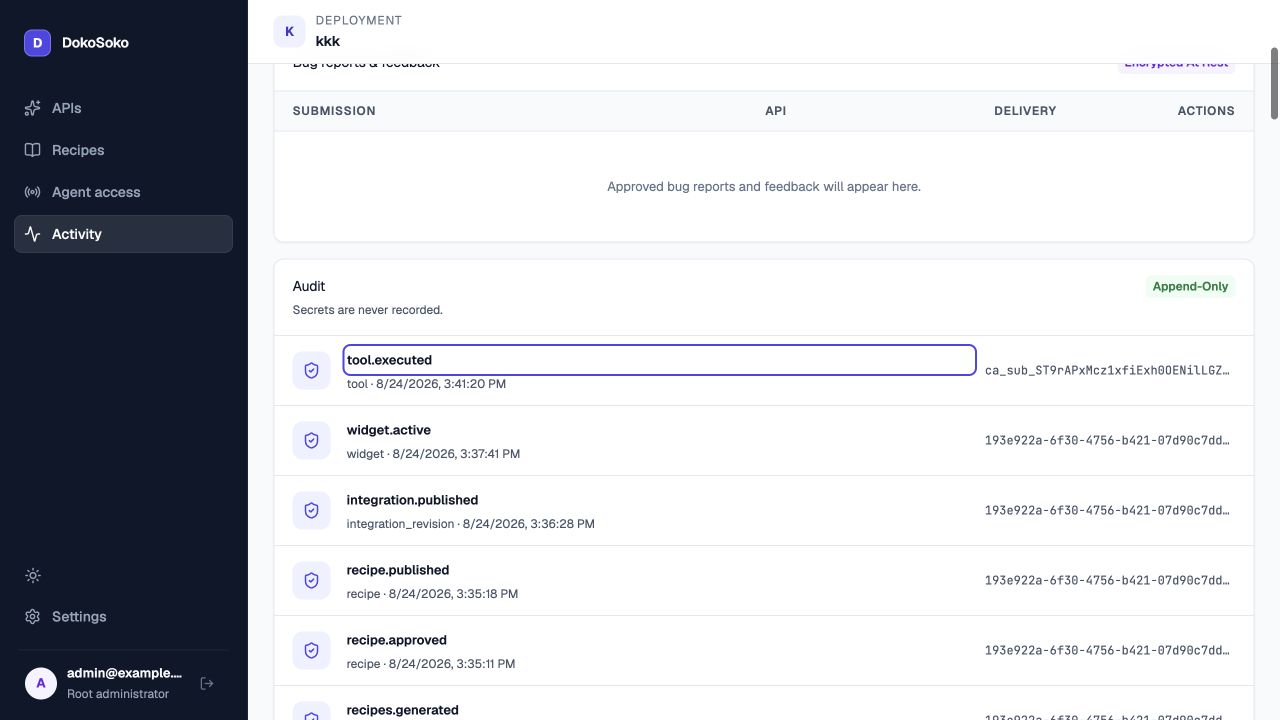
tool.executed after the reviewed recipe, immutable Integration, and exact-origin widget changes. The acceptance client—not the catalog-only widget—performed the verified readiness call.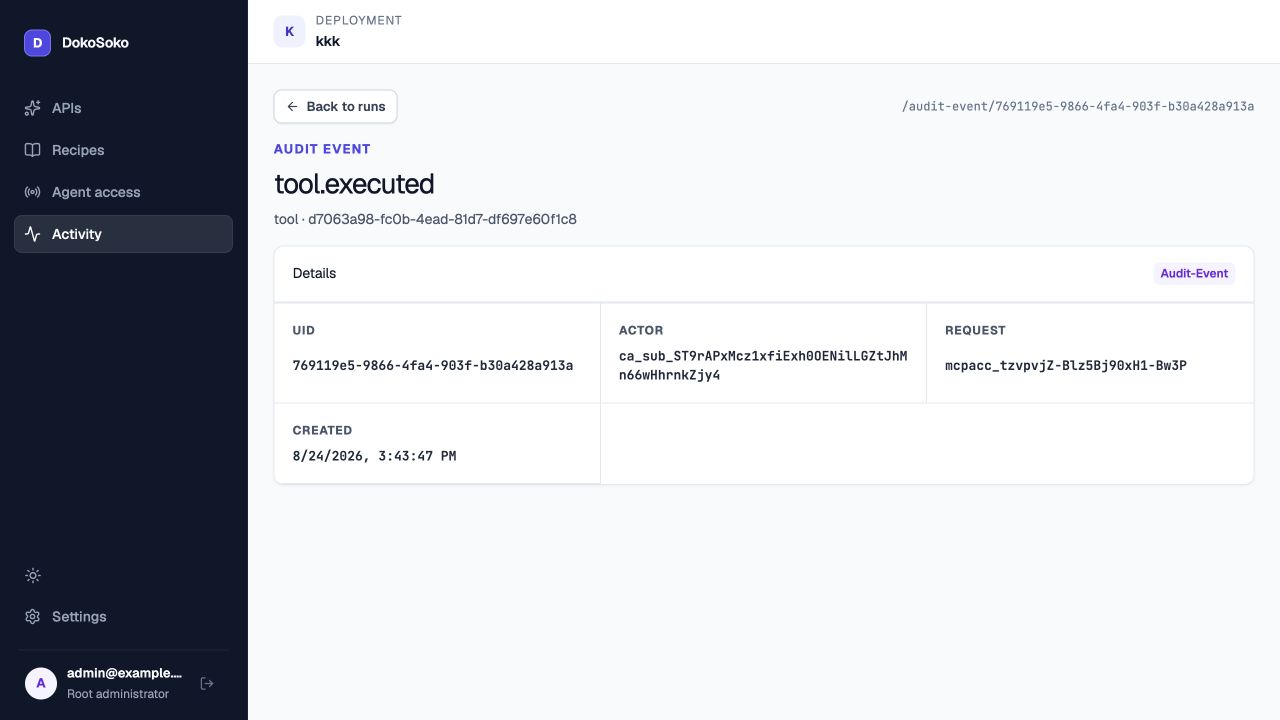
Verification record
The deployment-wide reusable HTTP-tool catalog is configured entirely through the Web Interface. AI-assisted, Import, and Manual creation converge on one normalized draft; AI and Import proposals receive field-level review, while Manual edits are direct. API-owned tools inherit their service destination and authentication from the API Access configuration. Credential values stay in dedicated write-only controls and never become tool arguments, schemas, AI prompts, screenshots, or API manifests.
The authorized standalone Private MCP client verified unauthenticated protected-resource discovery, DokoSoko authorization-server metadata, dynamic registration of a loopback callback, Authorization Code with PKCE S256, resource-bound token exchange, resources/list, exact resources/read, discovery of 15 tools, and invalid-schema rejection with JSON-RPC -32602. The published resource is the new ComplicatedAuth connection recipe grounded in the exact current API and documentation revisions.
The same client exercised the genuine API Admin credential lifecycle. It listed the subject’s credentials, requested first issuance through complicatedauth-customer-api.admin.credentials.rotate, received and completed an exact-arguments one-time confirmation challenge with a stable idempotency key, redacted the returned 71-byte material, and verified the returned COMPLICATEDAUTH_CUSTOMER_API_KEY destination name. It then listed the credential metadata and revoked that exact credential through a distinct confirmation challenge. Provider replay returned the same successful issuance, proving ComplicatedAuth’s 24-hour idempotency boundary after an earlier downstream persistence failure.
ComplicatedAuth automated coverage includes first issuance without a prior credential, subject/provider binding, two-slot overlap, delegable-scope narrowing, expiry limits, exact idempotent replay, changed-payload conflict, revocation, raw and DokoSoko-encoded OAuth subject compatibility, encrypted support preservation, console production behavior, and OpenAPI drift. DokoSoko service tests separately cover provider environment persistence, API Admin schemas and confirmation keys, recipe generation and review grounding, and the private MCP bridge.
3. The standalone client only verified the published private MCP behavior and ComplicatedAuth’s real provider operations. Widgets are feature-flagged off and are not claimed as passed. No DokoSoko source change is committed from this workspace.